
GOOGLE SHEETS · APPS SCRIPT
Your spreadsheet does the boring part.
I set up Google Sheets so the copy-paste, sorting and reminder emails happen on their own. You keep working in the sheet you already know.
WHO IT'S FOR
Ideal if…
- Spreadsheets feel overwhelming and formulas look like spells
- You copy-paste the same data every week
- Form answers pile up and someone sorts them by hand
- Your team emails around files called final_v3_REAL
REAL SCREENS
See it, don't just read it
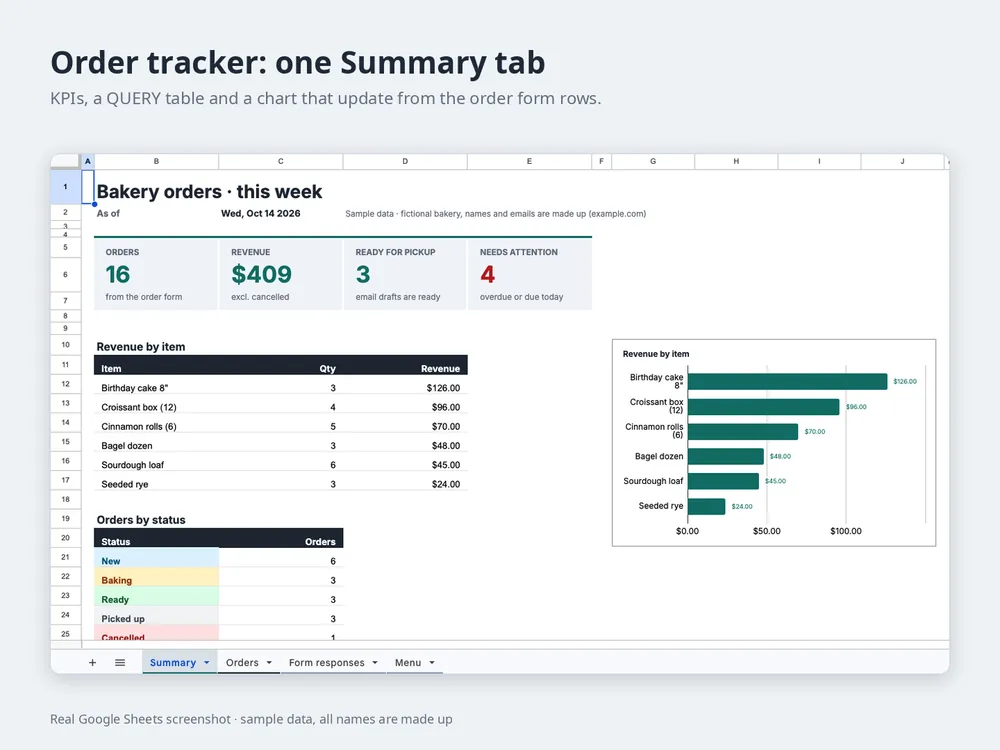
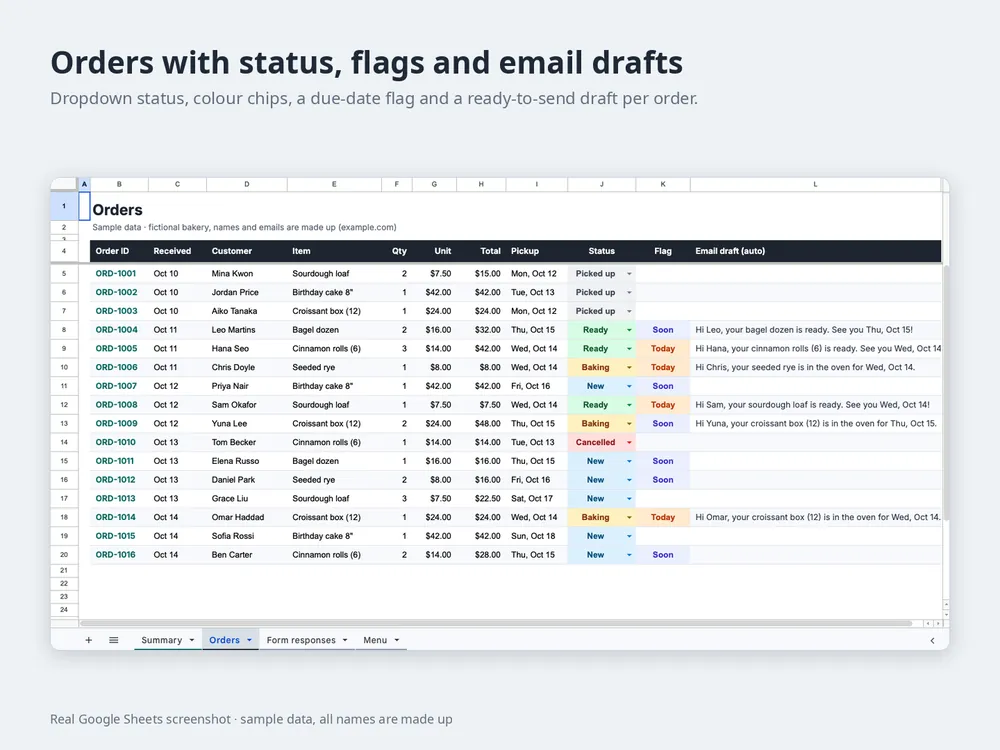
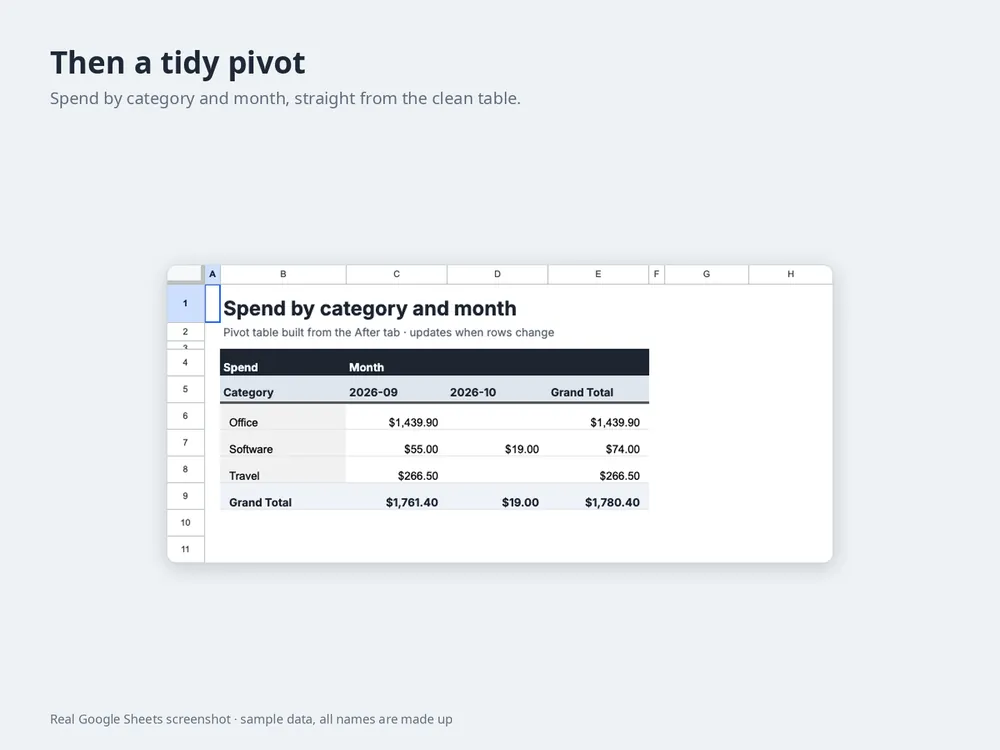
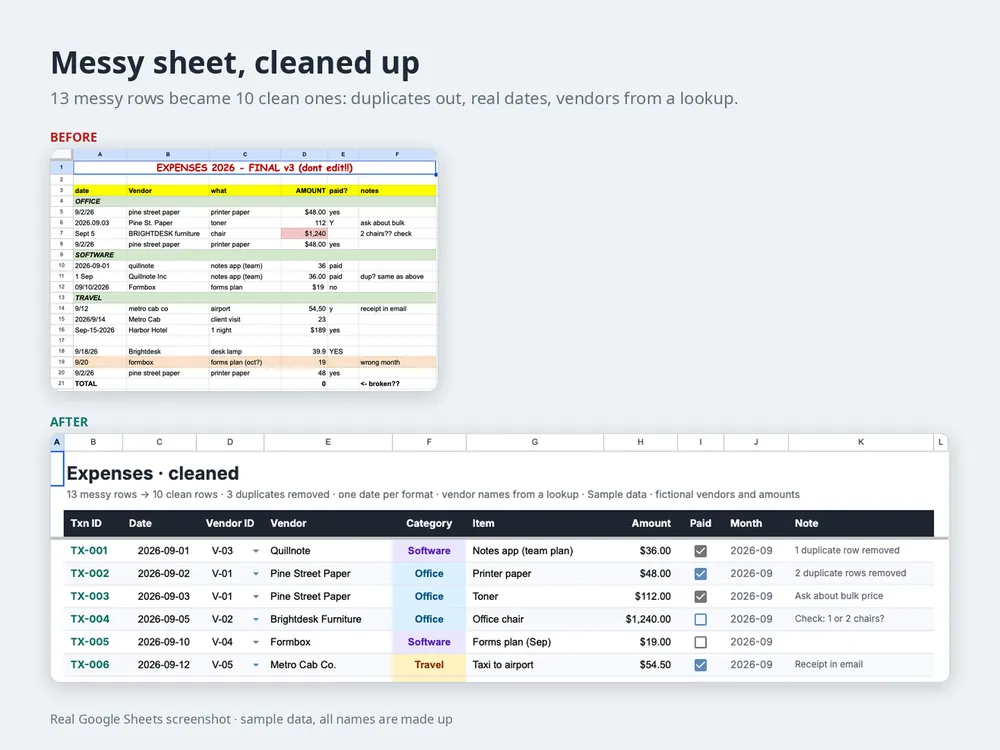
BEFORE → AFTER
What changes
13 messy rows. Three date formats, duplicates, a vendor spelled four ways, and a TOTAL cell that says 0.
10 clean rows with real dates, vendors picked from a list, and a summary that fills itself in.
FILMS
Watch it in a few seconds
Short sample films I made. Tap to play.
Music: Kevin MacLeod — Shiny Tech (CC BY 3.0) · Kevin MacLeod — Enter the Party (CC BY 3.0) · WinnieTheMoog — Street Trap (CC BY 4.0)
WHAT YOU GET
What you get
HOW IT WORKS
How it works
- 01
Show me the task
A screenshot or a quick note. Fake data is totally fine.
- 02
Scope and price in writing
What it will and won't do, and the price, before anything is built.
- 03
I build, you try
I build it in a copy first so your live sheet is never at risk.
- 04
Hand over
Files, code and the how-to move to your account. Done.
START SMALL
Typical projects
- US$20
One workflow
e.g. form answers → a tidy tab + an email draft. Delivered 3 days after access is ready.
- from US$60
A small setup
Cleanup, a summary tab and a couple of automations that work together.
- US$30/h
Bigger or ongoing
Scoped in writing first, so there are no surprises.
Extra workflows, data migration and paid APIs are quoted separately.
Real work: I delivered a mobile field-inspection app built on Google Apps Script to a power-plant operations client. It's private, so no names or screenshots, just this sentence.
FAQ
Questions people ask first
Do I need to know code?
No. You tell me the task in plain words, and screenshots help a lot. You'll use the result like any other sheet or app.
Will it break?
The usual way a sheet automation breaks is someone renaming or moving a column it relies on. I protect those columns where I can and list them in the how-to. If something stops, send me a screenshot and I'll look.
Who owns it?
You do. It's built in your account, and you get the files, the code and a short how-to. No subscription to me.
What if Google changes something?
It happens now and then, usually with notice. I stick to the built-in Sheets and Apps Script features, no paid add-ons, so there's less that can move. If an update ever affects your setup, I can fix it at the hourly rate.
Do you need my password?
Never. You share the sheet with edit access, or I build it in my own sample copy and you make a copy.
My data is in Excel. Is that OK?
Yes. We import it into Google Sheets first, and the automation runs there.
What do you copy-paste every week?
One sentence is enough. I reply with a written scope and price.