
MOBILE WEB APPS · PWA
A small app your team opens from a link.
A phone app for one job, like logging expenses or checking off tasks. No app store, no install fees. Tap ‘Add to Home Screen’ and it opens like any other app.
WHO IT'S FOR
Ideal if…
- You need a small app for one job, not a giant platform
- Your team still uses paper forms or a messy group chat
- You have a spreadsheet that really wants to be a phone screen
- App store reviews and fees feel like too much for what you need
REAL SCREENS
See it, don't just read it
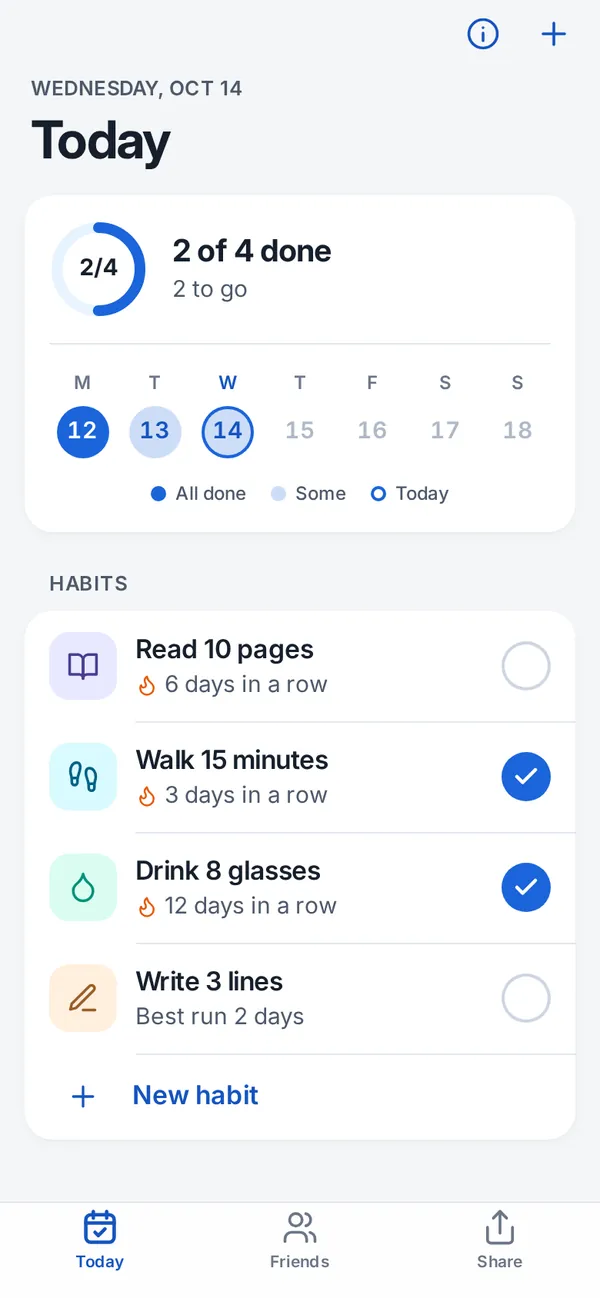
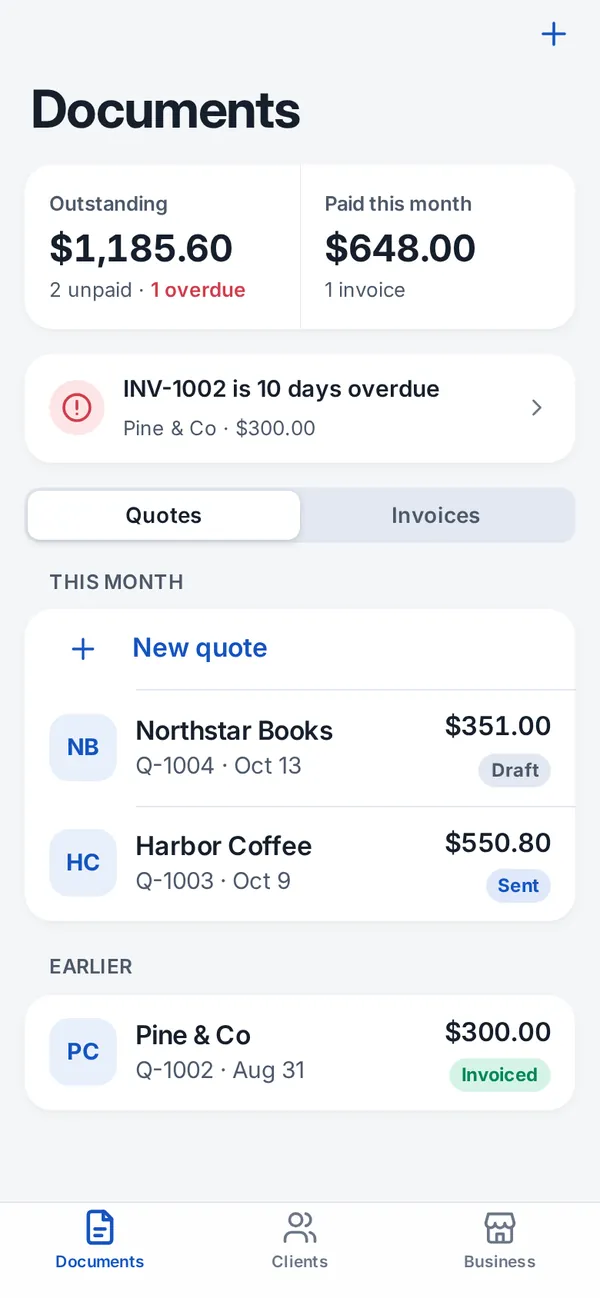
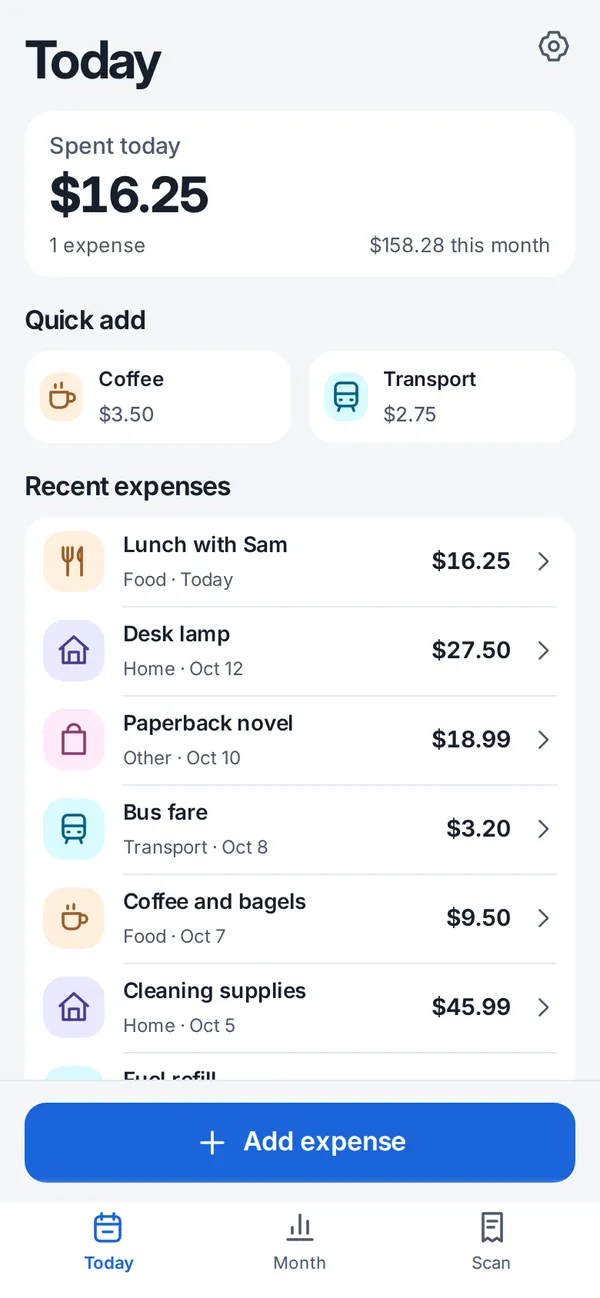
BEFORE → AFTER
What changes
A shared sheet nobody wants to open on a phone. Tiny cells, pinch-zoom, and someone always types in the wrong row.
One screen with big buttons that does the one thing. It saves on the phone, or to a Google Sheet if you want.
FILMS
Watch it in a few seconds
Short sample films I made. Tap to play.
Music: Ross Bugden — Black Heat (2026 Mix) (CC BY 4.0)
WHAT YOU GET
What you get
HOW IT WORKS
How it works
- 01
Tell me the one job
Who uses it, on what phone, and what they need to do.
- 02
Scope and price in writing
Screens, what's saved where, and the price, before I build.
- 03
Try it on your phone
You get a test link and use it for real. One round of fixes included.
- 04
Go live
I move it to your account and send the link to share with your team.
START SMALL
Typical projects
- US$20
Fix one mobile issue
A layout that overflows, a button you can't tap, a form that won't submit.
- from US$60
A simple one-job app
e.g. a checklist, a booking list or an expense logger, like the demos.
- US$30/h
More screens or a Sheet sync
Scoped in writing first. Small apps only, about two weeks at most.
No payments, logins with passwords or app-store publishing in the small builds.
FAQ
Questions people ask first
Is it a real app?
It's a website that behaves like an app (a ‘PWA’). It gets its own icon on the home screen and opens full screen. It just skips the app store.
Does it work on iPhone?
Yes. In Safari, tap Share → Add to Home Screen. On Android, Chrome offers to install it.
Do I need to know code?
No. You tell me the task in plain words, and screenshots help a lot. You'll use the result like any other sheet or app.
Who owns it?
You do. It's built in your account, and you get the files, the code and a short how-to. No subscription to me.
Can it send push notifications?
Sometimes, on newer phones, but it's fiddly. I'd rather not promise it for a small build. An email or a Sheet reminder is usually enough.
What's the one job your app should do?
One sentence is enough. I reply with a written scope and price.