
- 2026.10.20 Export CSV from Google Sheets without losing IDs or breaking notes
- 2026.10.20 Preview Google Sheets imports by ID before adding order rows
- 2026.10.16 Apps Script triggers: 6 traps that make a script run twice, late, or not at all
- 2026.10.16 ARRAYFORMULA in 2 minutes: 5 one-liners and the traps that fill your sheet with zeros
- 2026.10.15 Google Sheets QUERY cheat sheet: 8 strings I reuse, 4 traps that return nothing
- 2026.10.15 Shift Swap: ask from your phone, one tap to approve, the roster fixes itself
- 2026.10.14 XLOOKUP vs VLOOKUP in Google Sheets: the 2-minute version
- 2026.10.14 Tap Ledger: log a coffee in two taps, total it in Sheets
- 2026.10.14 A habit tracker that can leave the app: check-ins to CSV
- 2026.10.13 Your Dashboard Refreshed. Did Its Source Data?
- 2026.07.28 The Awkward Problems in Calendar-Based Attendance Tracking You are here
- 2026.07.26 How One Shared Sheet Link Leaks Company Data
- 2026.07.23 Bad Form Auto-Replies Damage Customer Trust
- 2026.07.13 ChatGPT API Costs Quietly Leak Money If You Do Not Count Them
- 2026.06.20 Cut Your Monthly SaaS Bill: Rent vs Own Your Automation
- 2026.06.19 How Much Does Adding AI Cost? Estimate Usage Before You Build
- 2026.06.19 Automating Your Work with Google Apps Script — The Complete Guide
- 2026.06.16 How a Multi-User Inspection App Is Different
- 2026.06.10 Inventory in Google Sheets: How Far Automation Goes
- 2026.06.08 Apps Script Costs: No Separate Server, but Plan for Upkeep
- 2026.06.06 Outsource vs Build vs SaaS: Compared by Cost
The Awkward Problems in Calendar-Based Attendance Tracking
The awkward audit, approval, and exception-handling problems that appear when Google Calendar becomes attendance tracking.
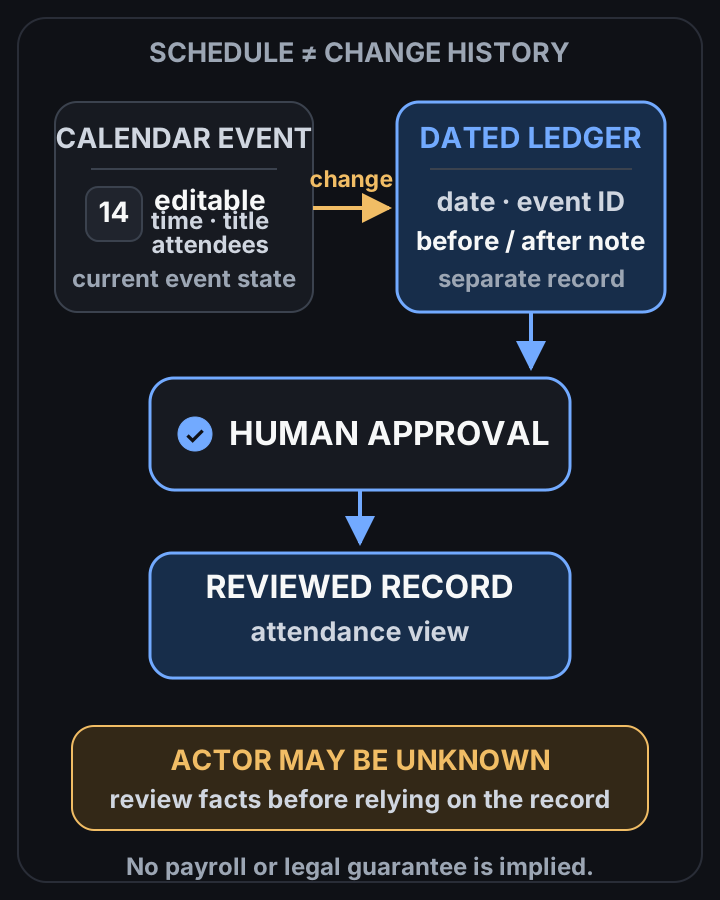
Calendar is editable; review needs a separate dated log
 View full-size diagram
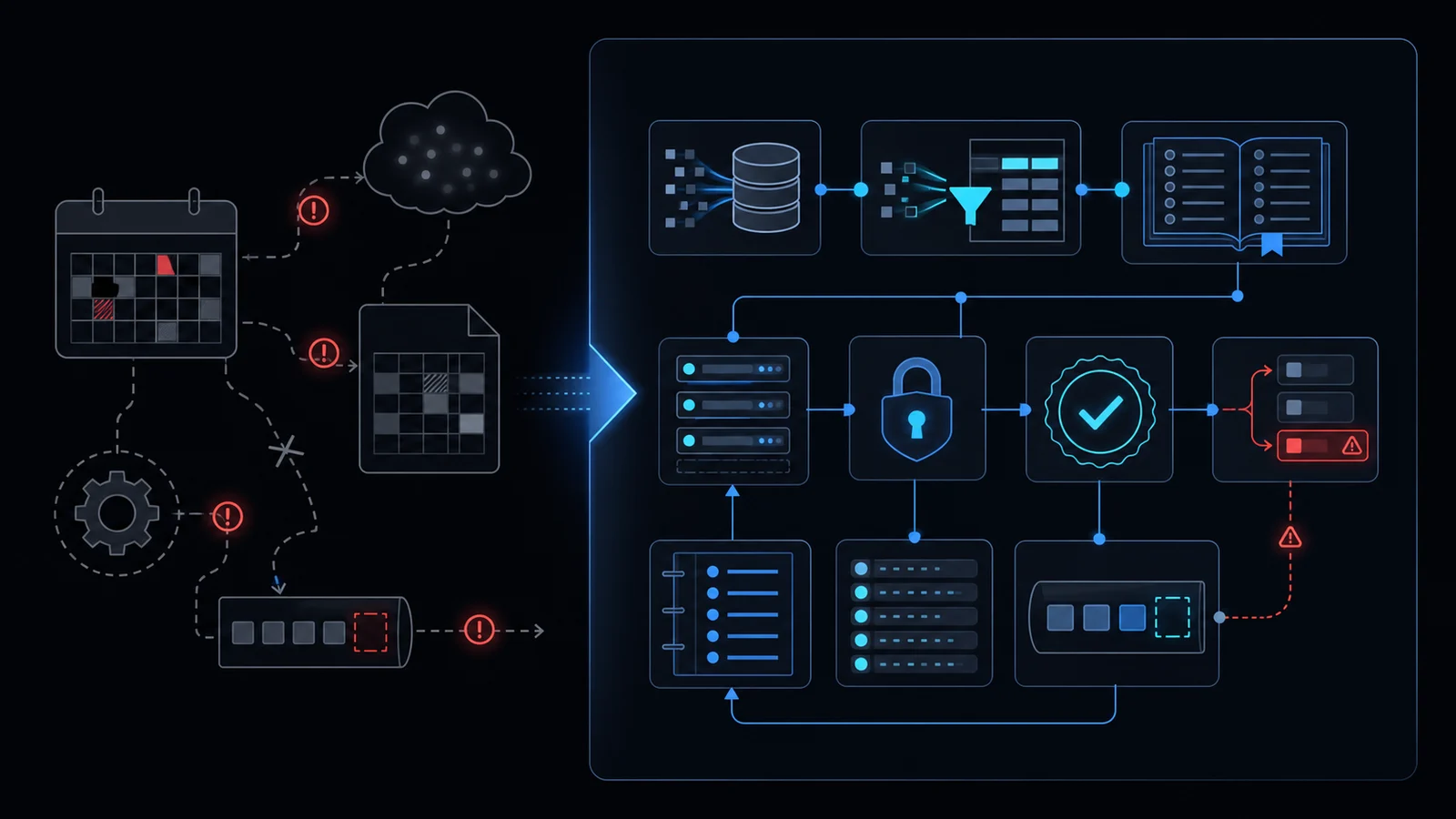
Conclusion first: Google Calendar is a scheduling tool, not an immutable attendance ledger. Edit history is incomplete, approval flows are absent, and exception handling does not exist, creating material legal exposure when used alone.
Calendar Events versus Audit Logs
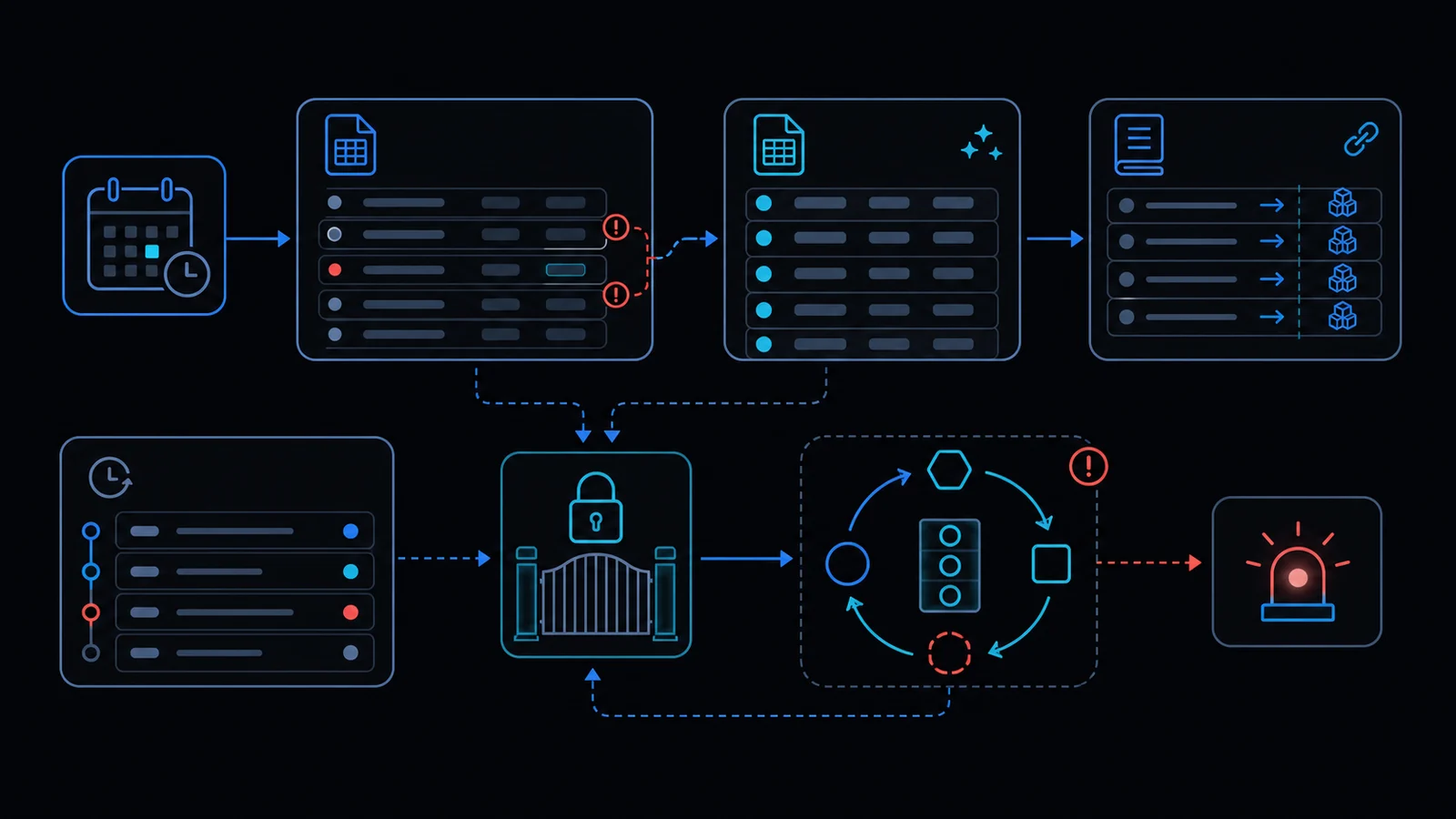 Calendar events can be altered by any participant. The Calendar API only surfaces the last updated timestamp; it does not record who changed what or the prior state.
Recommended Data Model
Use an append-only ledger table with immutable rows:
- ledgerId, eventId, originalStart, originalEnd, actor, action, timestamp, approvalStatus, exceptionNote.
Apps Script Skeleton
Trigger onEventUpdate with LockService to serialize writes and append the before/after snapshot to a dedicated sheet. Respect the six-minute execution limit by batching.
Edit History Decision Table
| Requirement | Calendar Native | Required Addition |
|---|---|---|
| Pre-change state | None | Append-only sheet |
| Actor identity | None | Session.getActiveUser() |
| Approval step | None | Separate approval sheet |
Approval and Exception Checklist
- Create exception request form
- Add manager approval trigger
- Define 30-day retention policy
- Store deleted events separately
Failure Modes
- Concurrent edits cause lost updates
- Six-minute limit exceeded
- Calendar API quota breach
Always combine LockService with an append-only ledger.
When Not to Use This Approach
For teams larger than ten people or where labor inspection is plausible, do not rely on Calendar alone. Review apps-script-automation-guide and lockservice-concurrency first.
Legal and HR Review Points
Cross-check personal data processing rules and Labor Standards Act Article 50. See when-to-leave-gas.
Final review criteria
The useful question is not how many features the automation has. It is whether the workflow can be understood, recovered, and safely rerun after something goes wrong.
- Raw input is separated from the human-facing working view.
- Each run records success, failure, processed count, and error message.
- Replaying the same input does not create duplicate results.
- Permission changes, quota errors, and external API failures are visible later.
For low-risk internal tasks, that may be enough. For customer replies, booking confirmation, inventory updates, payments, or legal records, the threshold is higher: compare Apps Script against a dedicated SaaS or a small server-backed system before relying on it.
Frequently asked questions
- How does editing a Calendar event distort attendance records?
- Any owner or shared user can change title, time or attendees at any time. Only the updated timestamp remains via Calendar API, which is insufficient as an audit log. An immutable ledger in Sheets or DB is required.
- What structure is needed to auto-record work hours with Apps Script?
- Use event create/update triggers with LockService to prevent race conditions and append-only writes of before/after state to a separate sheet. Batch to respect the 6-minute limit and quotas.
- When is calendar-based attendance legally unusable?
- Labor standards require objective, tamper-proof clock-in records. Calendar alone fails this test. Combine with formal approval workflows or abandon the approach.
- 2026.10.20 Export CSV from Google Sheets without losing IDs or breaking notes
- 2026.10.20 Preview Google Sheets imports by ID before adding order rows
- 2026.10.16 Apps Script triggers: 6 traps that make a script run twice, late, or not at all
- 2026.10.16 ARRAYFORMULA in 2 minutes: 5 one-liners and the traps that fill your sheet with zeros
- 2026.10.15 Google Sheets QUERY cheat sheet: 8 strings I reuse, 4 traps that return nothing
- 2026.10.15 Shift Swap: ask from your phone, one tap to approve, the roster fixes itself
- 2026.10.14 XLOOKUP vs VLOOKUP in Google Sheets: the 2-minute version
- 2026.10.14 Tap Ledger: log a coffee in two taps, total it in Sheets
- 2026.10.14 A habit tracker that can leave the app: check-ins to CSV
- 2026.10.13 Your Dashboard Refreshed. Did Its Source Data?
- 2026.07.28 The Awkward Problems in Calendar-Based Attendance Tracking You are here
- 2026.07.26 How One Shared Sheet Link Leaks Company Data
- 2026.07.23 Bad Form Auto-Replies Damage Customer Trust
- 2026.07.13 ChatGPT API Costs Quietly Leak Money If You Do Not Count Them
- 2026.06.20 Cut Your Monthly SaaS Bill: Rent vs Own Your Automation
- 2026.06.19 How Much Does Adding AI Cost? Estimate Usage Before You Build
- 2026.06.19 Automating Your Work with Google Apps Script — The Complete Guide
- 2026.06.16 How a Multi-User Inspection App Is Different
- 2026.06.10 Inventory in Google Sheets: How Far Automation Goes
- 2026.06.08 Apps Script Costs: No Separate Server, but Plan for Upkeep
- 2026.06.06 Outsource vs Build vs SaaS: Compared by Cost