
- 2026.10.20 Export CSV from Google Sheets without losing IDs or breaking notes
- 2026.10.20 Preview Google Sheets imports by ID before adding order rows
- 2026.10.16 Apps Script triggers: 6 traps that make a script run twice, late, or not at all
- 2026.10.16 ARRAYFORMULA in 2 minutes: 5 one-liners and the traps that fill your sheet with zeros
- 2026.10.15 Google Sheets QUERY cheat sheet: 8 strings I reuse, 4 traps that return nothing
- 2026.10.15 Shift Swap: ask from your phone, one tap to approve, the roster fixes itself
- 2026.10.14 XLOOKUP vs VLOOKUP in Google Sheets: the 2-minute version
- 2026.10.14 Tap Ledger: log a coffee in two taps, total it in Sheets
- 2026.10.14 A habit tracker that can leave the app: check-ins to CSV
- 2026.10.13 Your Dashboard Refreshed. Did Its Source Data?
- 2026.07.28 The Awkward Problems in Calendar-Based Attendance Tracking
- 2026.07.26 How One Shared Sheet Link Leaks Company Data
- 2026.07.23 Bad Form Auto-Replies Damage Customer Trust
- 2026.07.13 ChatGPT API Costs Quietly Leak Money If You Do Not Count Them
- 2026.06.20 Cut Your Monthly SaaS Bill: Rent vs Own Your Automation
- 2026.06.19 How Much Does Adding AI Cost? Estimate Usage Before You Build
- 2026.06.19 Automating Your Work with Google Apps Script — The Complete Guide
- 2026.06.16 How a Multi-User Inspection App Is Different
- 2026.06.10 Inventory in Google Sheets: How Far Automation Goes
- 2026.06.08 Apps Script Costs: No Separate Server, but Plan for Upkeep
- 2026.06.06 Outsource vs Build vs SaaS: Compared by Cost You are here
Outsource vs Build vs SaaS: Compared by Cost
Compare subscriptions, a self-built workflow and a commissioned tool using setup, time, maintenance and ongoing service costs. The cheaper option depends on the scope and expected use.

Compare three cost lanes over the same workflow
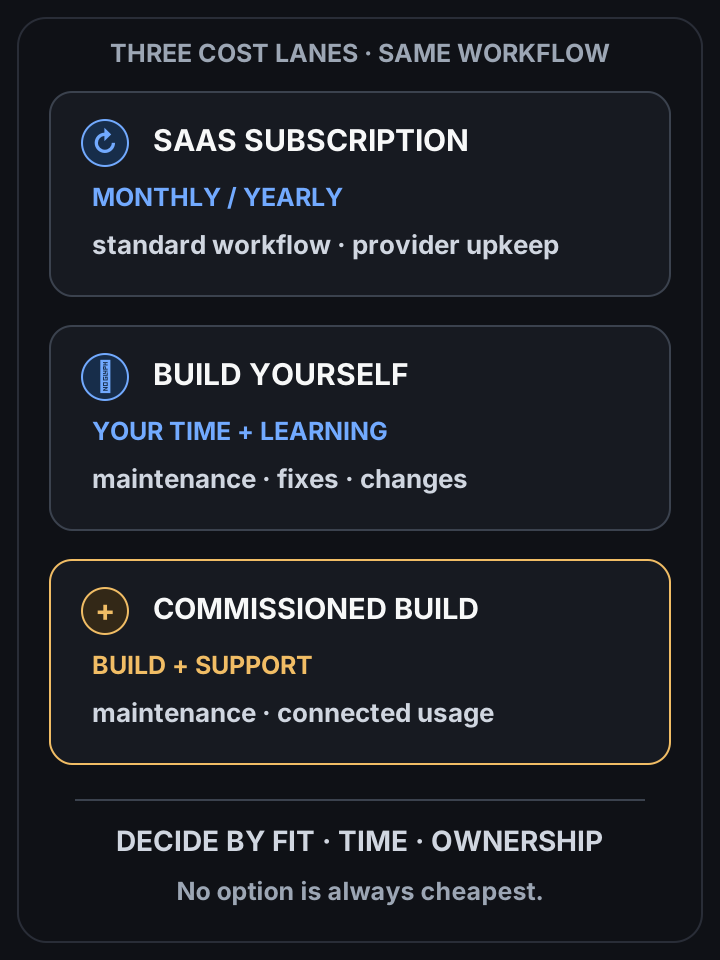 View full-size diagram
Conclusion first: Compare the same scope over the same period. A subscription may be quicker to start; a commissioned workflow may fit your work better. Include setup, your time, maintenance and connected services before deciding which costs less.
Cost structures compared
| Option | Cost | Strength | Weakness | Best for |
|---|---|---|---|---|
| SaaS subscription | Monthly / yearly | Start now, maintenance included | Billed forever, limited customization, stops on cancel | Standard work, fast start |
| Build yourself | Learning + time | Low cash cost, in-house skill | Slow, easy to hit pitfalls | Spare time + willingness to learn |
| Commission (GAS) | Build + maintenance + any account/API costs | Tailored workflow, agreed ownership | Upfront scope and ongoing support to agree | Custom workflow with a written cost estimate |
Why look at total cost of ownership
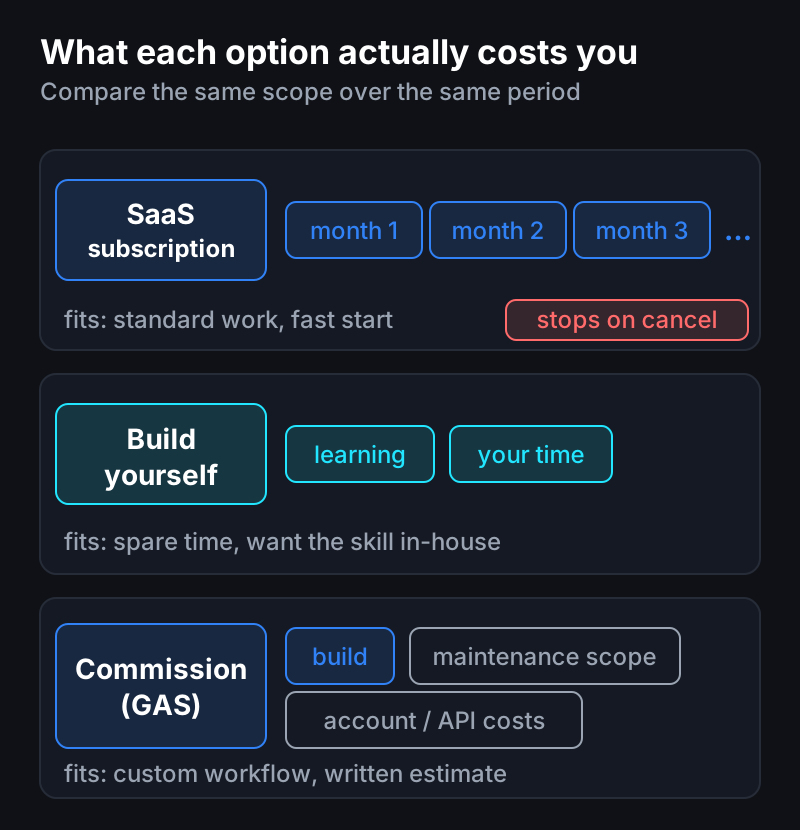
Compare the subscription fees over your expected period of use with the build quote, maintenance, changes and any connected services. There is no universal break-even period: a short pilot can help check the assumptions.
How to choose
- SaaS fits when the feature is standard, needs little customization, and you must start fast.
- Commissioning may fit when the workflow needs customization and a written estimate supports the cost over your expected period of use.
- Building yourself fits when you have time and want to keep the skill in-house.
A caution
Even when commissioning, put the maintenance scope in the contract. Not “build and done”: define what’s covered when Google changes a policy or your work changes, and there’s no dispute later.
Questions?
Wondering “which of the three is cheapest for my case?” — just ask. I’d nudge you to build it yourself, but if you’re short on time, I also build these.
Frequently asked questions
- Which is cheaper, a SaaS subscription or a custom build?
- It depends on the scope, existing subscriptions, setup and maintenance. Compare a written custom quote with the subscription cost over the expected period of use; neither option is always cheaper.
- When does building it yourself make sense?
- When you have time and want to keep the capability in-house. It spends time instead of money, so know the implementation pitfalls in advance.
- What should I watch for with a commissioned build?
- Put the maintenance scope in the contract. Defining how far it covers Google policy changes and shifting requirements avoids disputes later.
- 2026.10.20 Export CSV from Google Sheets without losing IDs or breaking notes
- 2026.10.20 Preview Google Sheets imports by ID before adding order rows
- 2026.10.16 Apps Script triggers: 6 traps that make a script run twice, late, or not at all
- 2026.10.16 ARRAYFORMULA in 2 minutes: 5 one-liners and the traps that fill your sheet with zeros
- 2026.10.15 Google Sheets QUERY cheat sheet: 8 strings I reuse, 4 traps that return nothing
- 2026.10.15 Shift Swap: ask from your phone, one tap to approve, the roster fixes itself
- 2026.10.14 XLOOKUP vs VLOOKUP in Google Sheets: the 2-minute version
- 2026.10.14 Tap Ledger: log a coffee in two taps, total it in Sheets
- 2026.10.14 A habit tracker that can leave the app: check-ins to CSV
- 2026.10.13 Your Dashboard Refreshed. Did Its Source Data?
- 2026.07.28 The Awkward Problems in Calendar-Based Attendance Tracking
- 2026.07.26 How One Shared Sheet Link Leaks Company Data
- 2026.07.23 Bad Form Auto-Replies Damage Customer Trust
- 2026.07.13 ChatGPT API Costs Quietly Leak Money If You Do Not Count Them
- 2026.06.20 Cut Your Monthly SaaS Bill: Rent vs Own Your Automation
- 2026.06.19 How Much Does Adding AI Cost? Estimate Usage Before You Build
- 2026.06.19 Automating Your Work with Google Apps Script — The Complete Guide
- 2026.06.16 How a Multi-User Inspection App Is Different
- 2026.06.10 Inventory in Google Sheets: How Far Automation Goes
- 2026.06.08 Apps Script Costs: No Separate Server, but Plan for Upkeep
- 2026.06.06 Outsource vs Build vs SaaS: Compared by Cost You are here