
- 2026.10.20 Export CSV from Google Sheets without losing IDs or breaking notes
- 2026.10.20 Preview Google Sheets imports by ID before adding order rows
- 2026.10.16 Apps Script triggers: 6 traps that make a script run twice, late, or not at all
- 2026.10.16 ARRAYFORMULA in 2 minutes: 5 one-liners and the traps that fill your sheet with zeros
- 2026.10.15 Google Sheets QUERY cheat sheet: 8 strings I reuse, 4 traps that return nothing
- 2026.10.15 Shift Swap: ask from your phone, one tap to approve, the roster fixes itself
- 2026.10.14 XLOOKUP vs VLOOKUP in Google Sheets: the 2-minute version
- 2026.10.14 Tap Ledger: log a coffee in two taps, total it in Sheets
- 2026.10.14 A habit tracker that can leave the app: check-ins to CSV
- 2026.10.13 Your Dashboard Refreshed. Did Its Source Data?
- 2026.07.28 The Awkward Problems in Calendar-Based Attendance Tracking
- 2026.07.26 How One Shared Sheet Link Leaks Company Data
- 2026.07.23 Bad Form Auto-Replies Damage Customer Trust
- 2026.07.13 ChatGPT API Costs Quietly Leak Money If You Do Not Count Them You are here
- 2026.06.20 Cut Your Monthly SaaS Bill: Rent vs Own Your Automation
- 2026.06.19 How Much Does Adding AI Cost? Estimate Usage Before You Build
- 2026.06.19 Automating Your Work with Google Apps Script — The Complete Guide
- 2026.06.16 How a Multi-User Inspection App Is Different
- 2026.06.10 Inventory in Google Sheets: How Far Automation Goes
- 2026.06.08 Apps Script Costs: No Separate Server, but Plan for Upkeep
- 2026.06.06 Outsource vs Build vs SaaS: Compared by Cost
ChatGPT API Costs Quietly Leak Money If You Do Not Count Them
Why ChatGPT API bills quietly grow, and how token tracking, caching, retries, and model routing keep them under control.
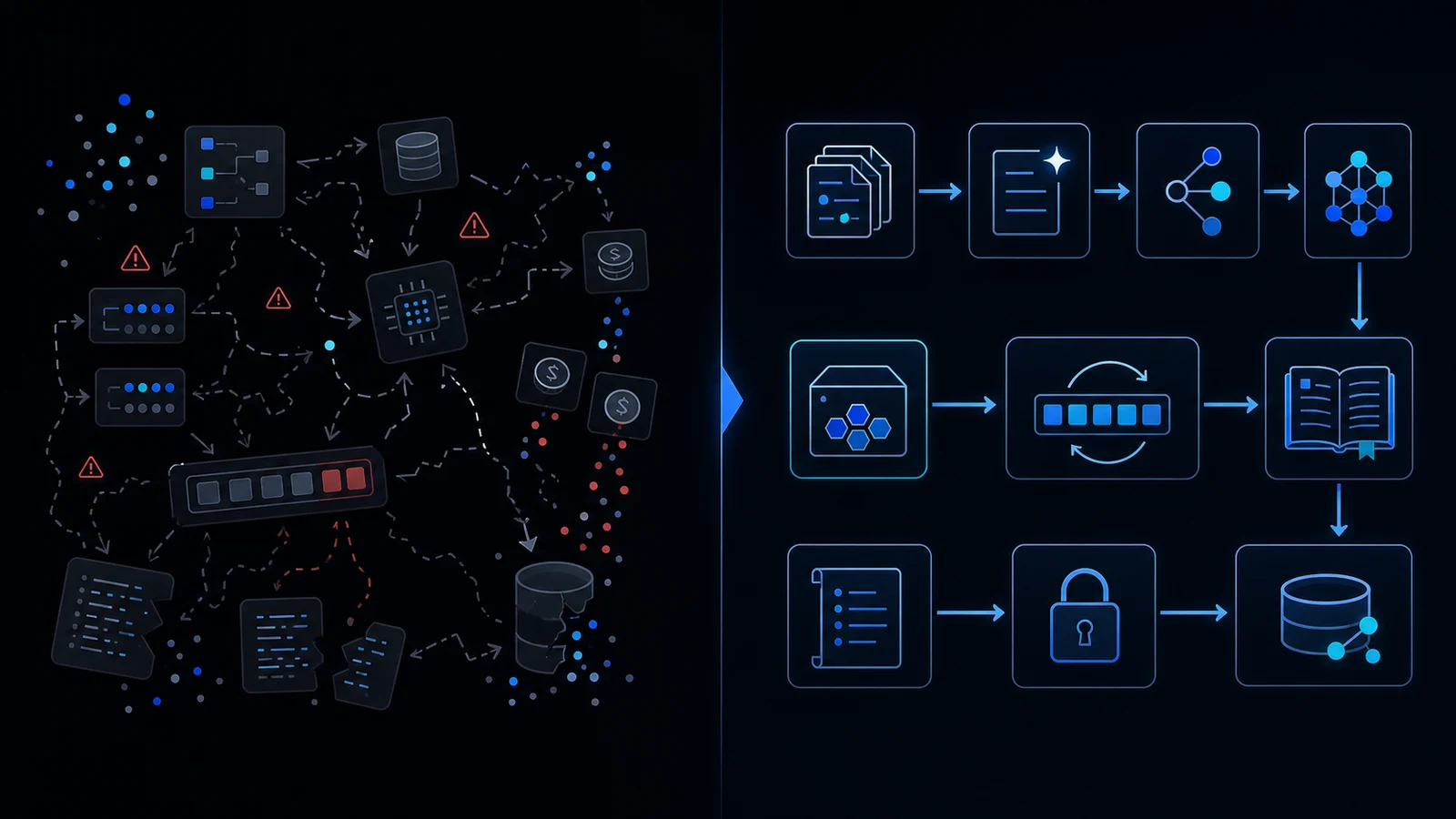
Retries multiply calls; cache hits and caps bound repeat work
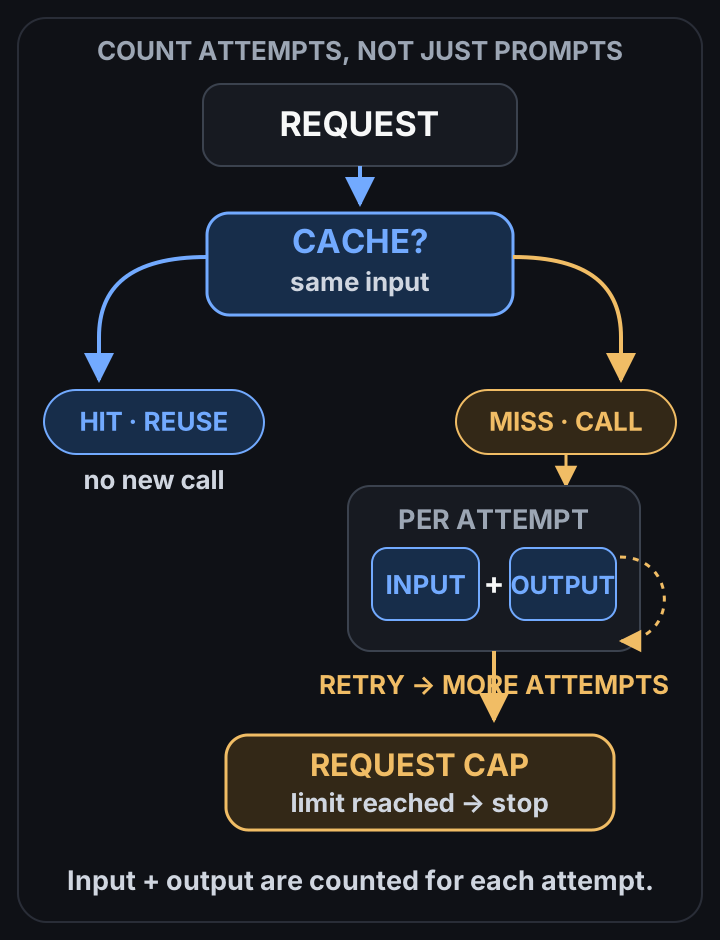 View full-size diagram
Conclusion first: Tokens, retries and logs multiply. Without explicit accounting, model routing, caching and budget guards, ChatGPT API spend exceeds any forecast.
Token Cost Fundamentals
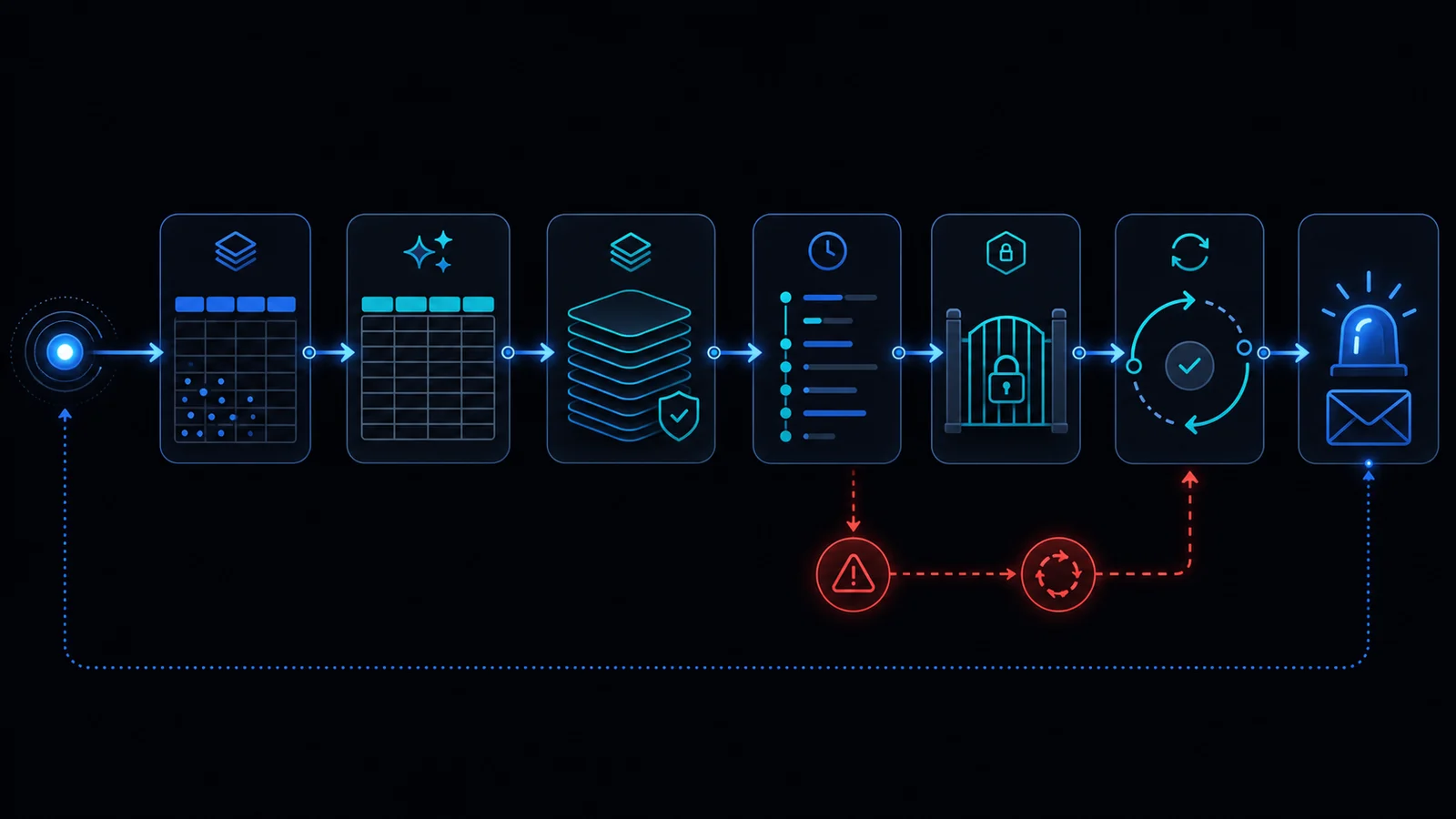 Input and output tokens are billed separately. GPT-4o costs $2.50 per million input tokens and $10.00 per million output tokens. Repeating a long system prompt on every call scales cost linearly.
Model Selection Impact
| Model | Input $/M | Output $/M | Use case |
|---|---|---|---|
| GPT-4o | 2.50 | 10.00 | Complex reasoning |
| GPT-4o-mini | 0.15 | 0.60 | Simple classification |
| o1-preview | 15.00 | 60.00 | Hard planning |
Retry and Backoff Policy
Without exponential backoff on 429/5xx errors the same prompt is sent dozens of times. Adopt the pattern from the retry-backoff note.
Caching Implementation
function getCacheKey(prompt, model, temp, userId) {
  const hash = Utilities.computeDigest(Utilities.DigestAlgorithm.SHA_256, prompt + model + temp);
  return `${userId}:${model}:${hash}`;
}

function budgetGuard(currentTokens, limit) {
  if (currentTokens > limit) throw new Error('Budget exceeded');
}
Logging Overhead
Writing every response to Sheets adds both storage and read costs. See spreadsheet-inventory-limits and store only required fields.
Including user ID in the cache key enables personalized reuse while preserving privacy boundaries.
Model Routing Strategy
Route simple queries to mini and complex ones to 4o. Cross-reference apps-script-automation-guide and ai-cost-and-keys.
Failure Modes and When Not to Use
- Disable caching when hit rate stays below 20%.
- Never cache when live data is required.
- Check six-minute-limit if LockService contention appears.
Operational Checklist
- Daily token-usage script
- Per-model budget thresholds
- 24 h TTL cache
- Defined fallback model
Final review criteria
The useful question is not how many features the automation has. It is whether the workflow can be understood, recovered, and safely rerun after something goes wrong.
- Raw input is separated from the human-facing working view.
- Each run records success, failure, processed count, and error message.
- Replaying the same input does not create duplicate results.
- Permission changes, quota errors, and external API failures are visible later.
For low-risk internal tasks, that may be enough. For customer replies, booking confirmation, inventory updates, payments, or legal records, the threshold is higher: compare Apps Script against a dedicated SaaS or a small server-backed system before relying on it.
Frequently asked questions
- 2026.10.20 Export CSV from Google Sheets without losing IDs or breaking notes
- 2026.10.20 Preview Google Sheets imports by ID before adding order rows
- 2026.10.16 Apps Script triggers: 6 traps that make a script run twice, late, or not at all
- 2026.10.16 ARRAYFORMULA in 2 minutes: 5 one-liners and the traps that fill your sheet with zeros
- 2026.10.15 Google Sheets QUERY cheat sheet: 8 strings I reuse, 4 traps that return nothing
- 2026.10.15 Shift Swap: ask from your phone, one tap to approve, the roster fixes itself
- 2026.10.14 XLOOKUP vs VLOOKUP in Google Sheets: the 2-minute version
- 2026.10.14 Tap Ledger: log a coffee in two taps, total it in Sheets
- 2026.10.14 A habit tracker that can leave the app: check-ins to CSV
- 2026.10.13 Your Dashboard Refreshed. Did Its Source Data?
- 2026.07.28 The Awkward Problems in Calendar-Based Attendance Tracking
- 2026.07.26 How One Shared Sheet Link Leaks Company Data
- 2026.07.23 Bad Form Auto-Replies Damage Customer Trust
- 2026.07.13 ChatGPT API Costs Quietly Leak Money If You Do Not Count Them You are here
- 2026.06.20 Cut Your Monthly SaaS Bill: Rent vs Own Your Automation
- 2026.06.19 How Much Does Adding AI Cost? Estimate Usage Before You Build
- 2026.06.19 Automating Your Work with Google Apps Script — The Complete Guide
- 2026.06.16 How a Multi-User Inspection App Is Different
- 2026.06.10 Inventory in Google Sheets: How Far Automation Goes
- 2026.06.08 Apps Script Costs: No Separate Server, but Plan for Upkeep
- 2026.06.06 Outsource vs Build vs SaaS: Compared by Cost