
- 2026.10.20 Export CSV from Google Sheets without losing IDs or breaking notes
- 2026.10.20 Preview Google Sheets imports by ID before adding order rows
- 2026.10.16 Apps Script triggers: 6 traps that make a script run twice, late, or not at all
- 2026.10.16 ARRAYFORMULA in 2 minutes: 5 one-liners and the traps that fill your sheet with zeros
- 2026.10.15 Google Sheets QUERY cheat sheet: 8 strings I reuse, 4 traps that return nothing
- 2026.10.15 Shift Swap: ask from your phone, one tap to approve, the roster fixes itself
- 2026.10.14 XLOOKUP vs VLOOKUP in Google Sheets: the 2-minute version
- 2026.10.14 Tap Ledger: log a coffee in two taps, total it in Sheets
- 2026.10.14 A habit tracker that can leave the app: check-ins to CSV
- 2026.10.13 Your Dashboard Refreshed. Did Its Source Data?
- 2026.07.28 The Awkward Problems in Calendar-Based Attendance Tracking
- 2026.07.26 How One Shared Sheet Link Leaks Company Data
- 2026.07.23 Bad Form Auto-Replies Damage Customer Trust
- 2026.07.13 ChatGPT API Costs Quietly Leak Money If You Do Not Count Them
- 2026.06.20 Cut Your Monthly SaaS Bill: Rent vs Own Your Automation
- 2026.06.19 How Much Does Adding AI Cost? Estimate Usage Before You Build
- 2026.06.19 Automating Your Work with Google Apps Script — The Complete Guide
- 2026.06.16 How a Multi-User Inspection App Is Different
- 2026.06.10 Inventory in Google Sheets: How Far Automation Goes
- 2026.06.08 Apps Script Costs: No Separate Server, but Plan for Upkeep You are here
- 2026.06.06 Outsource vs Build vs SaaS: Compared by Cost
Apps Script Costs: No Separate Server, but Plan for Upkeep
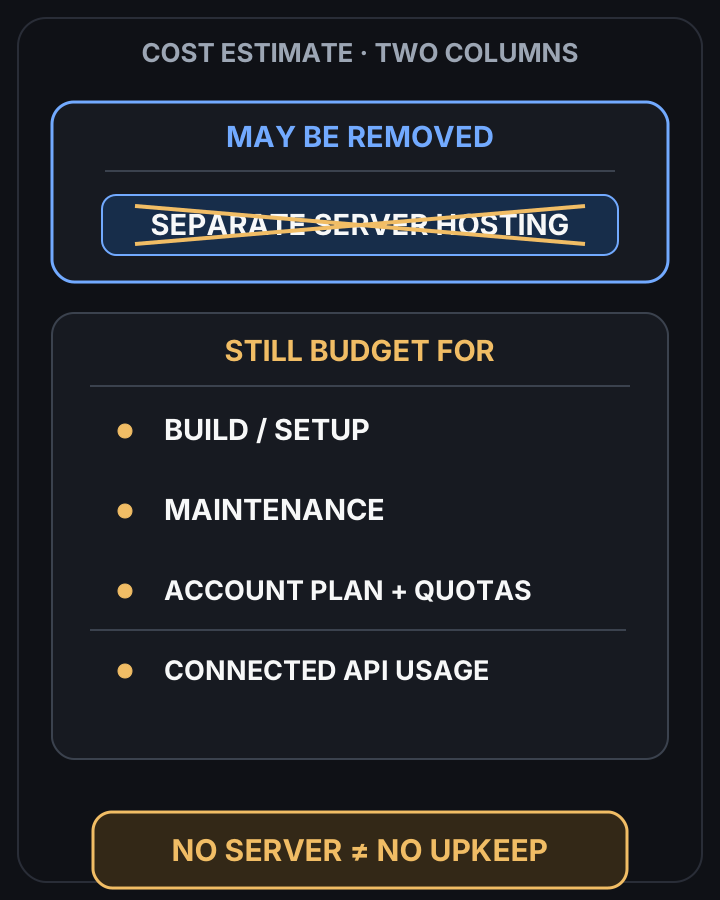
An Apps Script workflow may avoid separate server hosting charges. Check account quotas, subscriptions, connected services, setup and maintenance before estimating its total cost.

Removing separate hosting leaves other costs to budget
 View full-size diagram
Conclusion first: Apps Script can remove the need to rent a separate server for a small workflow. That is a hosting saving, not a promise of zero upkeep. Include setup, maintenance, account subscriptions and connected services in the estimate, and check the current quotas for the account that will run it.
Where the hosting saving comes from
Google provides the Apps Script runtime, so this approach may avoid a separate hosting bill. Whether it reduces the total cost depends on the workflow, the account plan and the work needed to keep it running.
Costs and limits to check
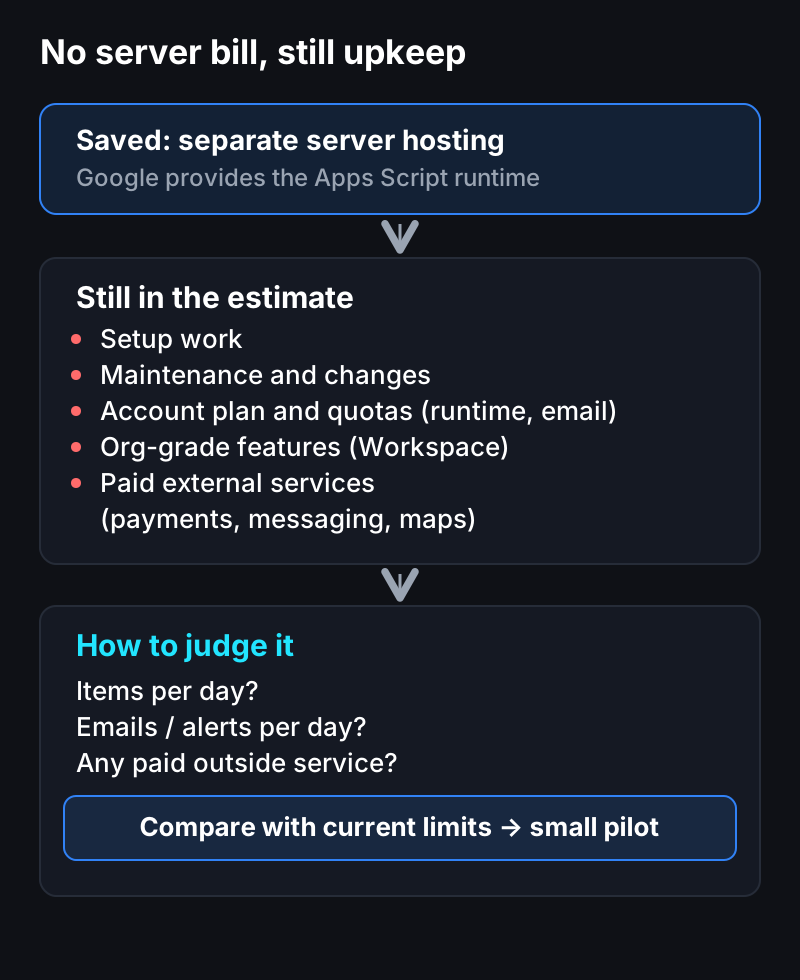
- Volume and quotas: daily runtime or email limits may stop the workflow. Check the current limits for the intended account; a paid plan is not an unlimited allowance.
- Org-grade features: shared drives, admin policies, and the like belong to a Workspace plan.
- Paid external APIs: calling a service outside Google (payments, messaging, maps) incurs that service’s cost.
This isn’t something to hide; it’s something to weigh up front before you start.
How we decide
Judging it starts with expected usage.
- How many items per day?
- How many emails/notifications per day?
- Do you call paid external services?
Compare those answers with current account limits, then include setup, maintenance, subscriptions and connected services. A small pilot can reveal work or usage that an initial estimate missed.
One line
No separate server does not mean no upkeep. Describe the workflow and expected volume, and we can scope a small first task with the costs and limits written down.
Frequently asked questions
- Is Google Apps Script automation really zero upkeep?
- A small workflow may avoid separate server hosting charges, but setup and maintenance still take work. Check the account plan, quotas and connected services when estimating recurring costs.
- When does it start to cost money?
- Possible costs include setup, maintenance, account subscriptions and paid external services. Exceeding a quota can also stop a workflow; paying for a plan does not automatically remove every limit.
- Can I know in advance whether it will cost anything?
- We can estimate from expected volume and current account limits, but a small measured pilot is useful before committing to a budget.
- 2026.10.20 Export CSV from Google Sheets without losing IDs or breaking notes
- 2026.10.20 Preview Google Sheets imports by ID before adding order rows
- 2026.10.16 Apps Script triggers: 6 traps that make a script run twice, late, or not at all
- 2026.10.16 ARRAYFORMULA in 2 minutes: 5 one-liners and the traps that fill your sheet with zeros
- 2026.10.15 Google Sheets QUERY cheat sheet: 8 strings I reuse, 4 traps that return nothing
- 2026.10.15 Shift Swap: ask from your phone, one tap to approve, the roster fixes itself
- 2026.10.14 XLOOKUP vs VLOOKUP in Google Sheets: the 2-minute version
- 2026.10.14 Tap Ledger: log a coffee in two taps, total it in Sheets
- 2026.10.14 A habit tracker that can leave the app: check-ins to CSV
- 2026.10.13 Your Dashboard Refreshed. Did Its Source Data?
- 2026.07.28 The Awkward Problems in Calendar-Based Attendance Tracking
- 2026.07.26 How One Shared Sheet Link Leaks Company Data
- 2026.07.23 Bad Form Auto-Replies Damage Customer Trust
- 2026.07.13 ChatGPT API Costs Quietly Leak Money If You Do Not Count Them
- 2026.06.20 Cut Your Monthly SaaS Bill: Rent vs Own Your Automation
- 2026.06.19 How Much Does Adding AI Cost? Estimate Usage Before You Build
- 2026.06.19 Automating Your Work with Google Apps Script — The Complete Guide
- 2026.06.16 How a Multi-User Inspection App Is Different
- 2026.06.10 Inventory in Google Sheets: How Far Automation Goes
- 2026.06.08 Apps Script Costs: No Separate Server, but Plan for Upkeep You are here
- 2026.06.06 Outsource vs Build vs SaaS: Compared by Cost