
- 2026.10.20 Export CSV from Google Sheets without losing IDs or breaking notes
- 2026.10.20 Preview Google Sheets imports by ID before adding order rows
- 2026.10.16 Apps Script triggers: 6 traps that make a script run twice, late, or not at all
- 2026.10.16 ARRAYFORMULA in 2 minutes: 5 one-liners and the traps that fill your sheet with zeros
- 2026.10.15 Google Sheets QUERY cheat sheet: 8 strings I reuse, 4 traps that return nothing
- 2026.10.15 Shift Swap: ask from your phone, one tap to approve, the roster fixes itself
- 2026.10.14 XLOOKUP vs VLOOKUP in Google Sheets: the 2-minute version
- 2026.10.14 Tap Ledger: log a coffee in two taps, total it in Sheets
- 2026.10.14 A habit tracker that can leave the app: check-ins to CSV
- 2026.10.13 Your Dashboard Refreshed. Did Its Source Data? You are here
- 2026.07.28 The Awkward Problems in Calendar-Based Attendance Tracking
- 2026.07.26 How One Shared Sheet Link Leaks Company Data
- 2026.07.23 Bad Form Auto-Replies Damage Customer Trust
- 2026.07.13 ChatGPT API Costs Quietly Leak Money If You Do Not Count Them
- 2026.06.20 Cut Your Monthly SaaS Bill: Rent vs Own Your Automation
- 2026.06.19 How Much Does Adding AI Cost? Estimate Usage Before You Build
- 2026.06.19 Automating Your Work with Google Apps Script — The Complete Guide
- 2026.06.16 How a Multi-User Inspection App Is Different
- 2026.06.10 Inventory in Google Sheets: How Far Automation Goes
- 2026.06.08 Apps Script Costs: No Separate Server, but Plan for Upkeep
- 2026.06.06 Outsource vs Build vs SaaS: Compared by Cost
Your Dashboard Refreshed. Did Its Source Data?
Separate page refresh time from source freshness. A fictional inventory example, timestamp contract, and failure drills keep old numbers from appearing current.
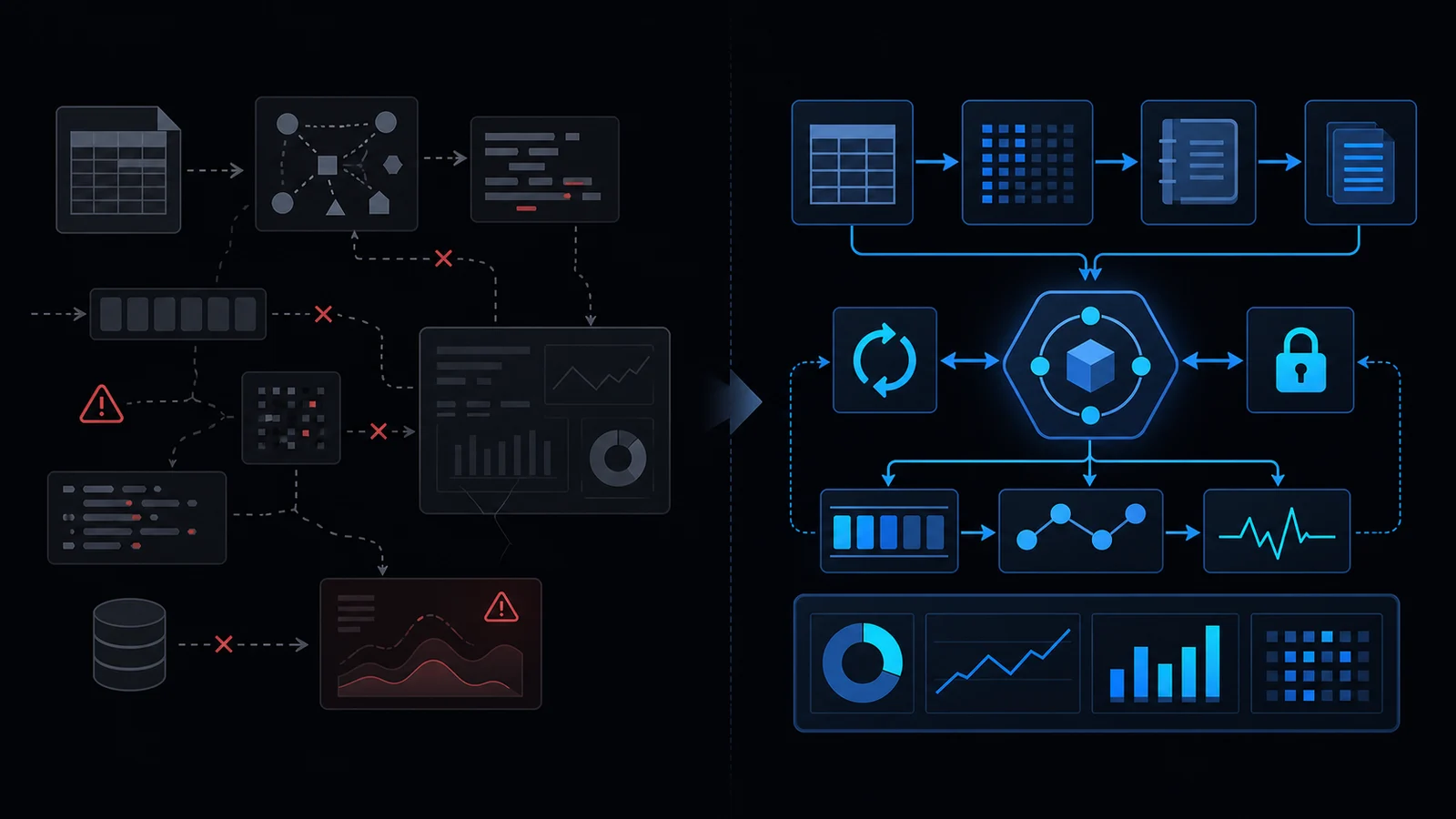
A fresh fetch can still contain old source data
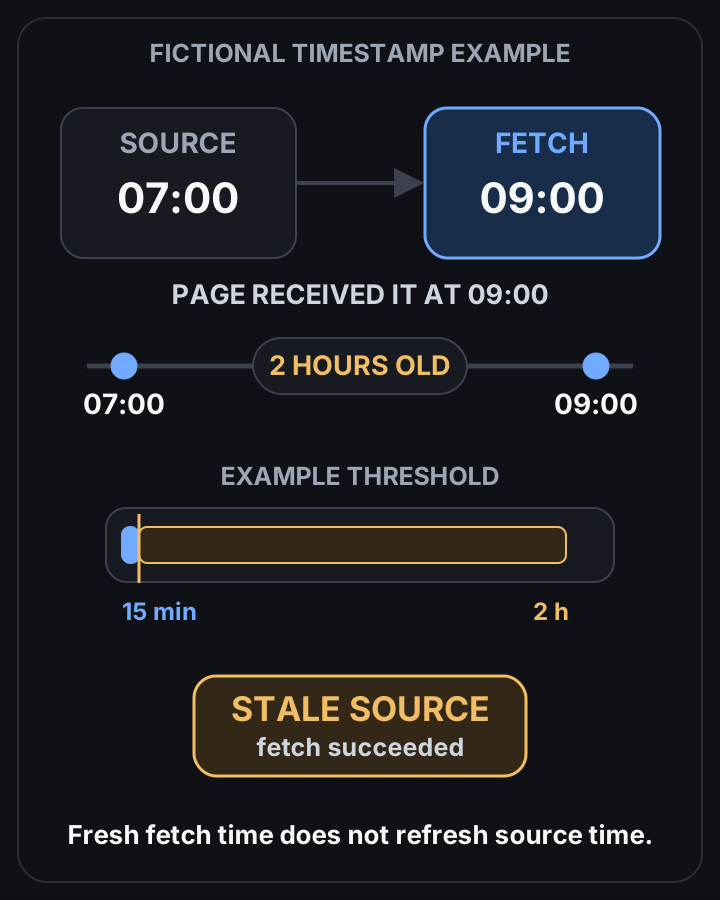 View full-size diagram
A dashboard can fetch successfully while showing stale data. Separate source time, retrieval time, and pipeline health so refreshing the page does not turn an old number green.
Consider a fictional inventory dashboard showing 24 units at 09:00 UTC. The page has refreshed, but the underlying snapshot was successfully processed at 07:00.
For this example, the team requires data no older than 15 minutes before confirming availability. The number is two hours old; “Updated just now” would hide that fact.
The units and threshold are teaching fixtures. They are not client data, measured results, or a universal service standard.
Give each clock a specific meaning
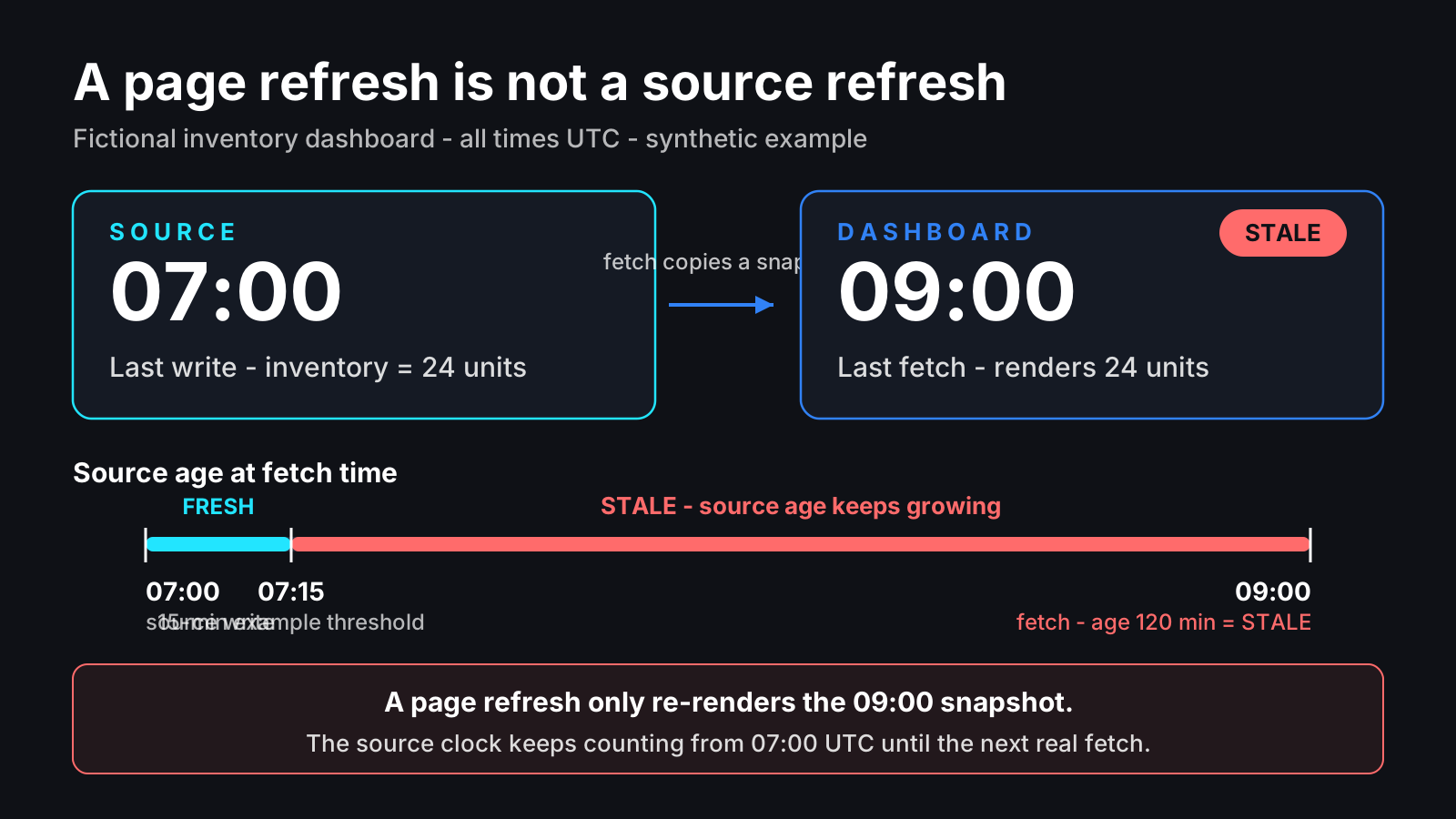
Source time and fetch time answer different questions. One describes the snapshot; the other describes when the page received it.
| Field | Meaning here | Does not prove |
|---|---|---|
source_updated_at | Timestamp of source snapshot | Every late event arrived |
fetched_at | Page retrieved payload | Source refreshed |
coverage_end | Guaranteed coverage boundary | Anything after it |
last_attempt_at | Refresh attempted | Refresh succeeded |
Store timestamps with explicit UTC offsets. Convert for display, but do not compare unzoned local strings from different clocks.
Successful processing does not prove upstream data advanced. Reprocessing an old snapshot must not renew its source timestamp; record processing time separately.
The newest event is not automatically a coverage boundary. A quiet source may have no new events; a broken importer may have missed older ones.
If the source supplies an ingestion checkpoint, store it alongside the snapshot. If completeness is unknown, say so instead of inventing a reassuring cutoff.
Define the metric before choosing its colour
“Stock” may mean physical stock, stock after reservations, or stock available for sale. A freshness warning cannot repair an ambiguous calculation.

Write the contract in terms the person using the number understands. This is a fictional agreement for one decision:
| Contract item | Example agreement |
|---|---|
| Metric | Sellable units, excluding reserved units |
| Source | Inventory ledger snapshot |
| Coverage | Imported events through reported checkpoint |
| Freshness | At most 15 minutes for this decision |
| Owner | Inventory coordinator |
| Failure action | Check source before confirming availability |
Choose the threshold from the decision. A weekly report and an immediate stock confirmation can tolerate different delays even when they use the same spreadsheet.
Record the action that changes when the timestamp is too old. Otherwise the warning becomes decoration.
Keep the snapshot and its health together
If page retrieval fails, preserve the last successful payload and timestamps. In this example, retrieval succeeded at 09:00, but the source pipeline’s latest attempt failed at 08:59.
pipeline_status and last_attempt_at describe that source pipeline. The fetched payload still carries the last successful source snapshot.
{
  "units": 24,
  "source_updated_at": "2026-10-14T07:00:00Z",
  "fetched_at": "2026-10-14T09:00:00Z",
  "pipeline_status": "error",
  "last_attempt_at": "2026-10-14T08:59:00Z"
}
This means “last known value 24; source old; latest refresh failed.” It does not mean zero stock or no records.
A successful zero is valid data. A missing timestamp is unknown freshness; an exception is pipeline failure. Keep those states distinct in the API and on screen.
Classify age separately from failure
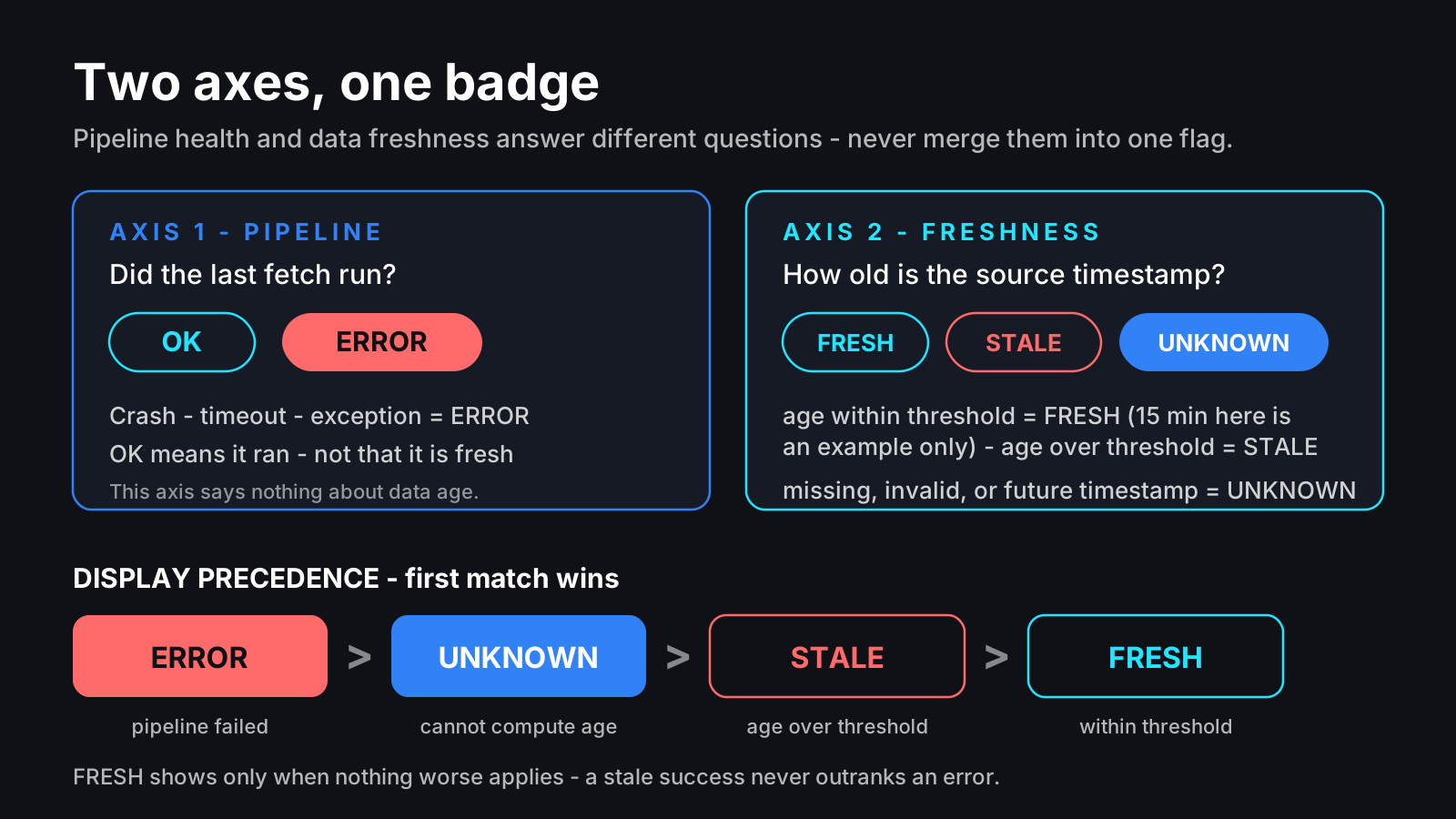
This pure JavaScript illustrates an age classifier. Inputs should be an ISO timestamp with an explicit zone, a valid current time, and a finite nonnegative threshold.
function freshness(sourceTime, nowMs, maxAgeMs) {
  const sourceMs = typeof sourceTime === 'string' ? Date.parse(sourceTime) : NaN;
  if (!Number.isFinite(sourceMs) || !Number.isFinite(nowMs) ||
      !Number.isFinite(maxAgeMs) || maxAgeMs < 0 || sourceMs > nowMs) return 'unknown';
  return nowMs - sourceMs > maxAgeMs ? 'stale' : 'fresh';
}
This is teaching code, not an installed integration. Validate timestamp format at the API boundary: Date.parse alone does not enforce an ISO schema.
Treat future timestamps as unknown here and investigate clock skew. Do not grant a future clock extra freshness.
The function describes age only. Use display precedence error, then unknown, then stale, then fresh so a recent snapshot cannot hide a failed latest attempt.
Display the last successful source time even under ERROR. The reader can then decide whether the remaining number is usable for a low-risk action.
Run a failure drill before trusting green
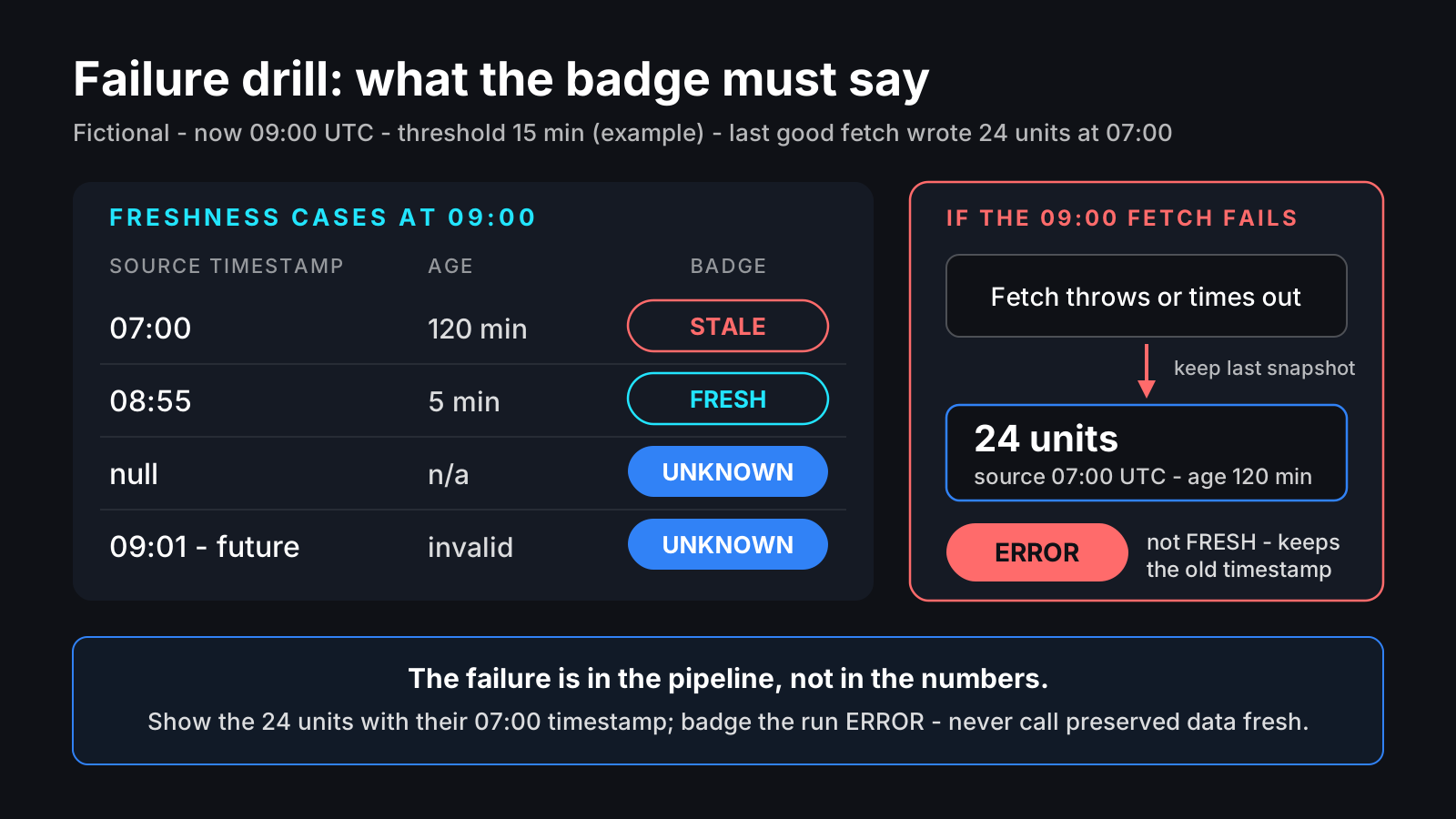
Fix the clock at 09:00 UTC and the example threshold at 15 minutes. These are expected outputs for synthetic fixtures, not observations from a deployed dashboard.
| Source or event | Expected result |
|---|---|
| Source 07:00 | Stale |
| Source 08:55 | Fresh |
| Source missing | Unknown |
| Source 09:01 | Unknown |
| Refresh throws | Preserve 24 and old timestamp; show error |
| Successful query returns 0 | Display 0 with its real source time |
Also test a cached response and a page reload. Neither changes source time unless source processing actually succeeded.
Test the handoff too: who notices failure, where they check the source, and which action stops? An alert without a recovery owner leaves the ambiguity on another screen.
Ask for this at handover
Request a sample payload, metric definition, checkpoint meaning, freshness threshold, and recorded failure drill. These explain what the number means when the happy path breaks.
Explore public workflow demos at Haeminway Dev when scoping automation. The demos show interaction patterns; this article does not claim they implement this timestamp policy.
Frequently asked questions
- Can page refresh time be the data timestamp?
- No. A successful fetch may return an old snapshot. Keep source processing time separate.
- Does the newest event prove completeness?
- No. Late or missing events can leave gaps. Use a coverage boundary or ingestion checkpoint when available.
- Should a failed refresh replace the number with zero?
- No. Preserve the last successful value and timestamp, and show the failure.
- 2026.10.20 Export CSV from Google Sheets without losing IDs or breaking notes
- 2026.10.20 Preview Google Sheets imports by ID before adding order rows
- 2026.10.16 Apps Script triggers: 6 traps that make a script run twice, late, or not at all
- 2026.10.16 ARRAYFORMULA in 2 minutes: 5 one-liners and the traps that fill your sheet with zeros
- 2026.10.15 Google Sheets QUERY cheat sheet: 8 strings I reuse, 4 traps that return nothing
- 2026.10.15 Shift Swap: ask from your phone, one tap to approve, the roster fixes itself
- 2026.10.14 XLOOKUP vs VLOOKUP in Google Sheets: the 2-minute version
- 2026.10.14 Tap Ledger: log a coffee in two taps, total it in Sheets
- 2026.10.14 A habit tracker that can leave the app: check-ins to CSV
- 2026.10.13 Your Dashboard Refreshed. Did Its Source Data? You are here
- 2026.07.28 The Awkward Problems in Calendar-Based Attendance Tracking
- 2026.07.26 How One Shared Sheet Link Leaks Company Data
- 2026.07.23 Bad Form Auto-Replies Damage Customer Trust
- 2026.07.13 ChatGPT API Costs Quietly Leak Money If You Do Not Count Them
- 2026.06.20 Cut Your Monthly SaaS Bill: Rent vs Own Your Automation
- 2026.06.19 How Much Does Adding AI Cost? Estimate Usage Before You Build
- 2026.06.19 Automating Your Work with Google Apps Script — The Complete Guide
- 2026.06.16 How a Multi-User Inspection App Is Different
- 2026.06.10 Inventory in Google Sheets: How Far Automation Goes
- 2026.06.08 Apps Script Costs: No Separate Server, but Plan for Upkeep
- 2026.06.06 Outsource vs Build vs SaaS: Compared by Cost