
- 2026.11.08 Job site daily report app: capture work before the drive home
- 2026.11.08 Multi-location inventory spreadsheet: stop missing transfers
- 2026.11.06 Reconcile marketplace payouts with your orders in Google Sheets
- 2026.11.01 What to automate first in a small business office: pick one task
- 2026.10.31 Hiring someone to automate a spreadsheet: 5 questions before you sign
- 2026.10.29 Same order submitted twice at once? Stop duplicate rows in Sheets
- 2026.10.24 Slow Google Sheets script on order intake? Read once, write once
- 2026.10.20 Google Sheets CSV export drops leading zeros: keep IDs intact
- 2026.10.20 Importing orders into Google Sheets without duplicate rows
- 2026.10.16 Google Sheets automation sent the email twice? 6 trigger traps
- 2026.10.16 Stop dragging formulas down in Google Sheets (ARRAYFORMULA)
- 2026.10.15 Filter, total and sort a Google Sheet with one formula (QUERY)
- 2026.10.15 Shift swaps from a phone: one approval, and the roster updates
- 2026.10.14 Google Sheets lookup shows the wrong value: VLOOKUP vs XLOOKUP
- 2026.10.14 Expense app that logs a coffee in two taps and totals in Sheets
- 2026.10.14 Daily check-in app with CSV export you can total in Google Sheets
- 2026.10.13 Stale data on your dashboard: when 'updated' doesn't mean fresh
- 2026.07.28 Tracking staff attendance in Google Calendar: where records break You are here
- 2026.07.26 Google Sheet shared by link: how company data quietly leaks
- 2026.07.23 Form auto-reply emails that annoy customers, and how to fix them
- 2026.07.13 ChatGPT API bill higher than expected? Where the cost leaks
- 2026.06.20 Monthly SaaS bill for a simple workflow: rent it or own a tool?
- 2026.06.19 Adding AI to a work app: what it costs each month, and who pays
- 2026.06.19 Automate repetitive office work in Google Sheets with Apps Script
- 2026.06.16 Field inspection app for a small team: paper checklist to phone
- 2026.06.10 Inventory tracking in Google Sheets for one store: where it stops
- 2026.06.08 Is Google Sheets automation free? No server bill, but plan upkeep
- 2026.06.06 Outsource, DIY or SaaS for one workflow: which costs less?
Tracking staff attendance in Google Calendar: where records break
Tracking staff attendance in Google Calendar leaves gaps: edits leave no full history, there is no approval step, and exceptions get lost. What to keep next to it instead.

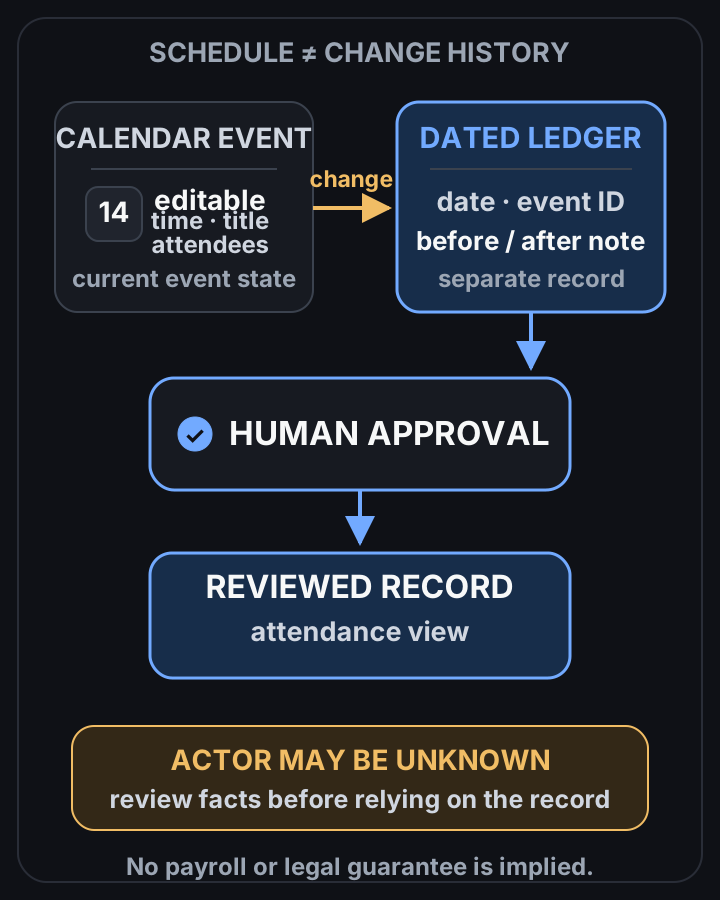
Calendar is editable; review needs a separate dated log
 View full-size diagram
A manager checks who worked which shift by looking at a shared Google Calendar. Then someone drags Tuesday’s event to Wednesday, and there’s no reliable way to show what it said before.
The answer: Google Calendar is a scheduling tool, not an attendance record. Its edit history is incomplete and it has no approval or exception flow, so if attendance feeds pay or labor records, keep an append-only log in Sheets or a database next to it. Used alone, the calendar leaves real legal exposure. For a setup like that, see work automation on Google Sheets.
Calendar Events versus Audit Logs
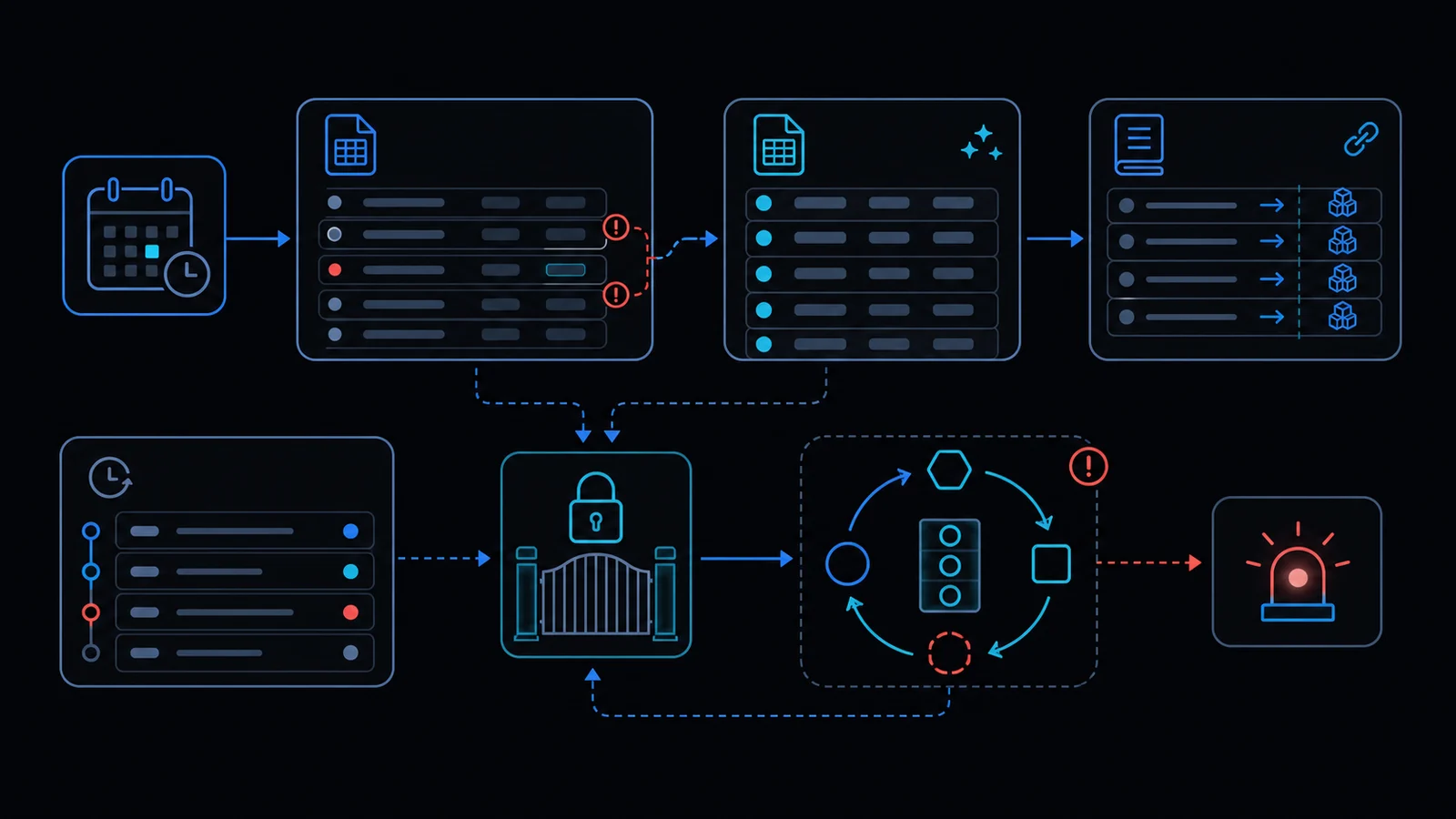 Calendar events can be altered by any participant. The Calendar API only surfaces the last updated timestamp; it does not record who changed what or the prior state.
Recommended Data Model
Use an append-only ledger table with immutable rows:
- ledgerId, eventId, originalStart, originalEnd, actor, action, timestamp, approvalStatus, exceptionNote.
Apps Script Skeleton
Trigger onEventUpdate with LockService to serialize writes and append the before/after snapshot to a dedicated sheet. Respect the six-minute execution limit by batching.
Edit History Decision Table
| Requirement | Calendar Native | Required Addition |
|---|---|---|
| Pre-change state | None | Append-only sheet |
| Actor identity | None | Session.getActiveUser() |
| Approval step | None | Separate approval sheet |
Approval and Exception Checklist
- Create exception request form
- Add manager approval trigger
- Define 30-day retention policy
- Store deleted events separately
Failure Modes
- Concurrent edits cause lost updates
- Six-minute limit exceeded
- Calendar API quota breach
Always combine LockService with an append-only ledger.
When Not to Use This Approach
For teams larger than ten people or where labor inspection is plausible, do not rely on Calendar alone. Review apps-script-automation-guide and lockservice-concurrency first.
Legal and HR Review Points
Cross-check personal data processing rules and Labor Standards Act Article 50. See when-to-leave-gas.
Final review criteria
The useful question is not how many features the automation has. It is whether the workflow can be understood, recovered, and safely rerun after something goes wrong.
- Raw input is separated from the human-facing working view.
- Each run records success, failure, processed count, and error message.
- Replaying the same input does not create duplicate results.
- Permission changes, quota errors, and external API failures are visible later.
For low-risk internal tasks, that may be enough. For customer replies, booking confirmation, inventory updates, payments, or legal records, the threshold is higher: compare Apps Script against a dedicated SaaS or a small server-backed system before relying on it.
Frequently asked questions
- How does editing a Calendar event distort attendance records?
- Any owner or shared user can change title, time or attendees at any time. Only the updated timestamp remains via Calendar API, which is insufficient as an audit log. An immutable ledger in Sheets or DB is required.
- What structure is needed to auto-record work hours with Apps Script?
- Use event create/update triggers with LockService to prevent race conditions and append-only writes of before/after state to a separate sheet. Batch to respect the 6-minute limit and quotas.
- When is calendar-based attendance legally unusable?
- Labor standards require objective, tamper-proof clock-in records. Calendar alone fails this test. Combine with formal approval workflows or abandon the approach.
- 2026.11.08 Job site daily report app: capture work before the drive home
- 2026.11.08 Multi-location inventory spreadsheet: stop missing transfers
- 2026.11.06 Reconcile marketplace payouts with your orders in Google Sheets
- 2026.11.01 What to automate first in a small business office: pick one task
- 2026.10.31 Hiring someone to automate a spreadsheet: 5 questions before you sign
- 2026.10.29 Same order submitted twice at once? Stop duplicate rows in Sheets
- 2026.10.24 Slow Google Sheets script on order intake? Read once, write once
- 2026.10.20 Google Sheets CSV export drops leading zeros: keep IDs intact
- 2026.10.20 Importing orders into Google Sheets without duplicate rows
- 2026.10.16 Google Sheets automation sent the email twice? 6 trigger traps
- 2026.10.16 Stop dragging formulas down in Google Sheets (ARRAYFORMULA)
- 2026.10.15 Filter, total and sort a Google Sheet with one formula (QUERY)
- 2026.10.15 Shift swaps from a phone: one approval, and the roster updates
- 2026.10.14 Google Sheets lookup shows the wrong value: VLOOKUP vs XLOOKUP
- 2026.10.14 Expense app that logs a coffee in two taps and totals in Sheets
- 2026.10.14 Daily check-in app with CSV export you can total in Google Sheets
- 2026.10.13 Stale data on your dashboard: when 'updated' doesn't mean fresh
- 2026.07.28 Tracking staff attendance in Google Calendar: where records break You are here
- 2026.07.26 Google Sheet shared by link: how company data quietly leaks
- 2026.07.23 Form auto-reply emails that annoy customers, and how to fix them
- 2026.07.13 ChatGPT API bill higher than expected? Where the cost leaks
- 2026.06.20 Monthly SaaS bill for a simple workflow: rent it or own a tool?
- 2026.06.19 Adding AI to a work app: what it costs each month, and who pays
- 2026.06.19 Automate repetitive office work in Google Sheets with Apps Script
- 2026.06.16 Field inspection app for a small team: paper checklist to phone
- 2026.06.10 Inventory tracking in Google Sheets for one store: where it stops
- 2026.06.08 Is Google Sheets automation free? No server bill, but plan upkeep
- 2026.06.06 Outsource, DIY or SaaS for one workflow: which costs less?