
- 2026.11.08 Job site daily report app: capture work before the drive home
- 2026.11.08 Multi-location inventory spreadsheet: stop missing transfers
- 2026.11.06 Reconcile marketplace payouts with your orders in Google Sheets
- 2026.11.01 What to automate first in a small business office: pick one task
- 2026.10.31 Hiring someone to automate a spreadsheet: 5 questions before you sign
- 2026.10.29 Same order submitted twice at once? Stop duplicate rows in Sheets
- 2026.10.24 Slow Google Sheets script on order intake? Read once, write once
- 2026.10.20 Google Sheets CSV export drops leading zeros: keep IDs intact
- 2026.10.20 Importing orders into Google Sheets without duplicate rows
- 2026.10.16 Google Sheets automation sent the email twice? 6 trigger traps
- 2026.10.16 Stop dragging formulas down in Google Sheets (ARRAYFORMULA)
- 2026.10.15 Filter, total and sort a Google Sheet with one formula (QUERY)
- 2026.10.15 Shift swaps from a phone: one approval, and the roster updates
- 2026.10.14 Google Sheets lookup shows the wrong value: VLOOKUP vs XLOOKUP
- 2026.10.14 Expense app that logs a coffee in two taps and totals in Sheets
- 2026.10.14 Daily check-in app with CSV export you can total in Google Sheets
- 2026.10.13 Stale data on your dashboard: when 'updated' doesn't mean fresh
- 2026.07.28 Tracking staff attendance in Google Calendar: where records break
- 2026.07.26 Google Sheet shared by link: how company data quietly leaks
- 2026.07.23 Form auto-reply emails that annoy customers, and how to fix them
- 2026.07.13 ChatGPT API bill higher than expected? Where the cost leaks
- 2026.06.20 Monthly SaaS bill for a simple workflow: rent it or own a tool?
- 2026.06.19 Adding AI to a work app: what it costs each month, and who pays
- 2026.06.19 Automate repetitive office work in Google Sheets with Apps Script
- 2026.06.16 Field inspection app for a small team: paper checklist to phone
- 2026.06.10 Inventory tracking in Google Sheets for one store: where it stops
- 2026.06.08 Is Google Sheets automation free? No server bill, but plan upkeep
- 2026.06.06 Outsource, DIY or SaaS for one workflow: which costs less? You are here
Outsource, DIY or SaaS for one workflow: which costs less?
Outsource, build it yourself or subscribe to SaaS? Compare the same workflow over the same period, counting setup, your time, maintenance and connected services.

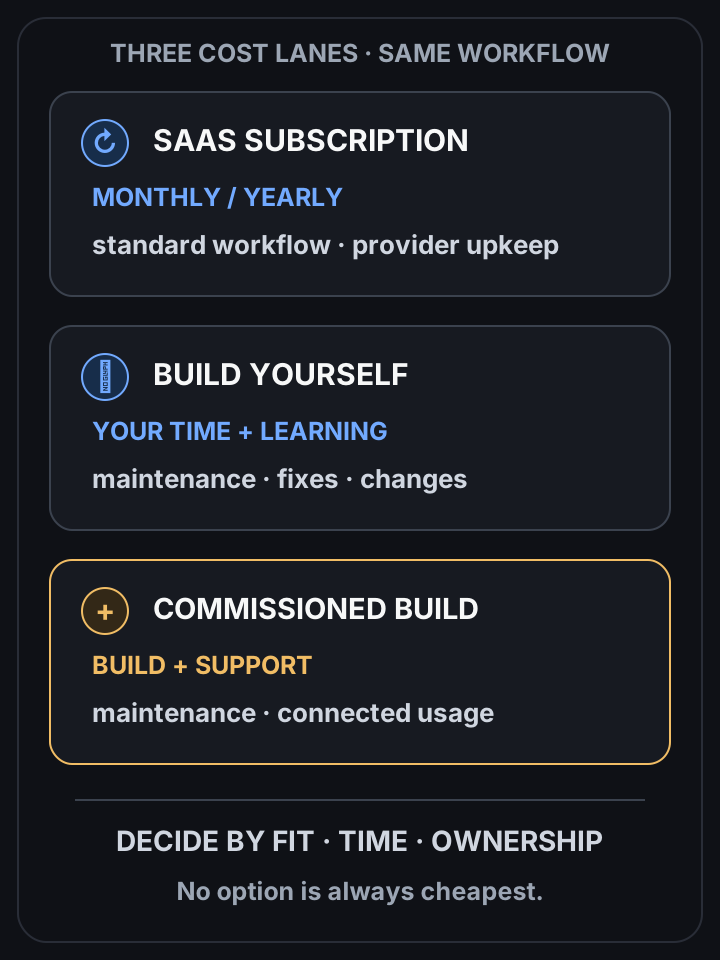
Compare three cost lanes over the same workflow
 View full-size diagram
You have one workflow that eats time every week and three options on the table: pay for a subscription, build it yourself on weekends, or hire someone.
The answer: compare the same scope over the same period. A subscription may be quicker to start; a commissioned workflow may fit your work better. Include setup, your time, maintenance and connected services before deciding which costs less. If hiring is on the table, see work automation.
Cost structures compared
| Option | Cost | Strength | Weakness | Best for |
|---|---|---|---|---|
| SaaS subscription | Monthly / yearly | Start now, maintenance included | Billed forever, limited customization, stops on cancel | Standard work, fast start |
| Build yourself | Learning + time | Low cash cost, in-house skill | Slow, easy to hit pitfalls | Spare time + willingness to learn |
| Commission (GAS) | Build + maintenance + any account/API costs | Tailored workflow, agreed ownership | Upfront scope and ongoing support to agree | Custom workflow with a written cost estimate |
Why look at total cost of ownership
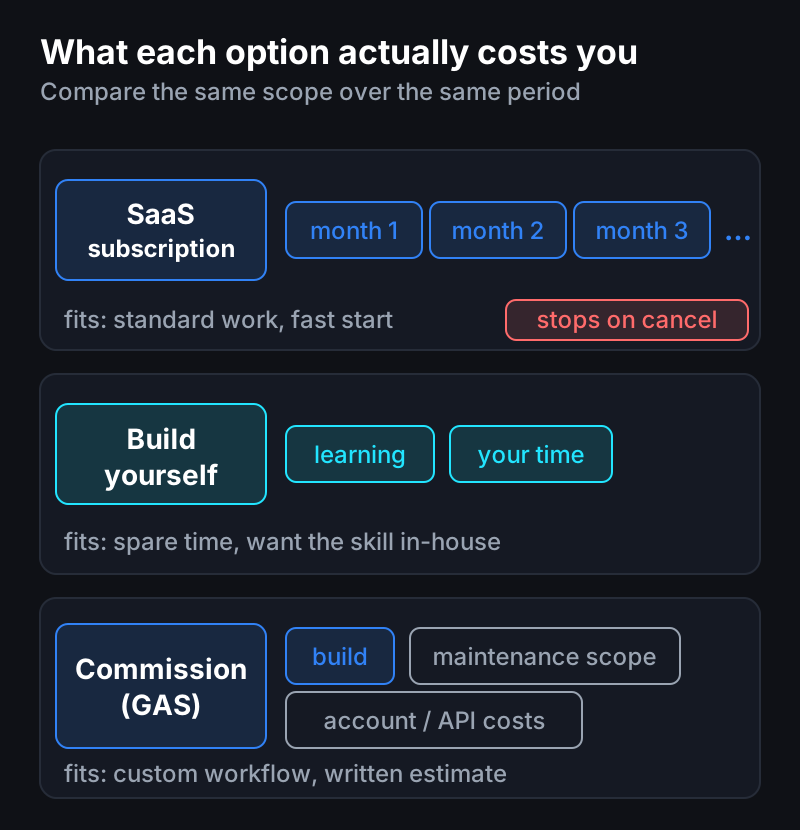
Compare the subscription fees over your expected period of use with the build quote, maintenance, changes and any connected services. There is no universal break-even period: a short pilot can help check the assumptions.
How to choose
- SaaS fits when the feature is standard, needs little customization, and you must start fast.
- Commissioning may fit when the workflow needs customization and a written estimate supports the cost over your expected period of use.
- Building yourself fits when you have time and want to keep the skill in-house.
A caution
Even when commissioning, put the maintenance scope in the contract. Not “build and done”: define what’s covered when Google changes a policy or your work changes, and there’s no dispute later.
Questions?
Wondering “which of the three is cheapest for my case?” — just ask. I’d nudge you to build it yourself, but if you’re short on time, I also build these.
Frequently asked questions
- Which is cheaper, a SaaS subscription or a custom build?
- It depends on the scope, existing subscriptions, setup and maintenance. Compare a written custom quote with the subscription cost over the expected period of use; neither option is always cheaper.
- When does building it yourself make sense?
- When you have time and want to keep the capability in-house. It spends time instead of money, so know the implementation pitfalls in advance.
- What should I watch for with a commissioned build?
- Put the maintenance scope in the contract. Defining how far it covers Google policy changes and shifting requirements avoids disputes later.
- 2026.11.08 Job site daily report app: capture work before the drive home
- 2026.11.08 Multi-location inventory spreadsheet: stop missing transfers
- 2026.11.06 Reconcile marketplace payouts with your orders in Google Sheets
- 2026.11.01 What to automate first in a small business office: pick one task
- 2026.10.31 Hiring someone to automate a spreadsheet: 5 questions before you sign
- 2026.10.29 Same order submitted twice at once? Stop duplicate rows in Sheets
- 2026.10.24 Slow Google Sheets script on order intake? Read once, write once
- 2026.10.20 Google Sheets CSV export drops leading zeros: keep IDs intact
- 2026.10.20 Importing orders into Google Sheets without duplicate rows
- 2026.10.16 Google Sheets automation sent the email twice? 6 trigger traps
- 2026.10.16 Stop dragging formulas down in Google Sheets (ARRAYFORMULA)
- 2026.10.15 Filter, total and sort a Google Sheet with one formula (QUERY)
- 2026.10.15 Shift swaps from a phone: one approval, and the roster updates
- 2026.10.14 Google Sheets lookup shows the wrong value: VLOOKUP vs XLOOKUP
- 2026.10.14 Expense app that logs a coffee in two taps and totals in Sheets
- 2026.10.14 Daily check-in app with CSV export you can total in Google Sheets
- 2026.10.13 Stale data on your dashboard: when 'updated' doesn't mean fresh
- 2026.07.28 Tracking staff attendance in Google Calendar: where records break
- 2026.07.26 Google Sheet shared by link: how company data quietly leaks
- 2026.07.23 Form auto-reply emails that annoy customers, and how to fix them
- 2026.07.13 ChatGPT API bill higher than expected? Where the cost leaks
- 2026.06.20 Monthly SaaS bill for a simple workflow: rent it or own a tool?
- 2026.06.19 Adding AI to a work app: what it costs each month, and who pays
- 2026.06.19 Automate repetitive office work in Google Sheets with Apps Script
- 2026.06.16 Field inspection app for a small team: paper checklist to phone
- 2026.06.10 Inventory tracking in Google Sheets for one store: where it stops
- 2026.06.08 Is Google Sheets automation free? No server bill, but plan upkeep
- 2026.06.06 Outsource, DIY or SaaS for one workflow: which costs less? You are here